What Is Zero Trust Security? A Plain-English Guide for Australian Businesses
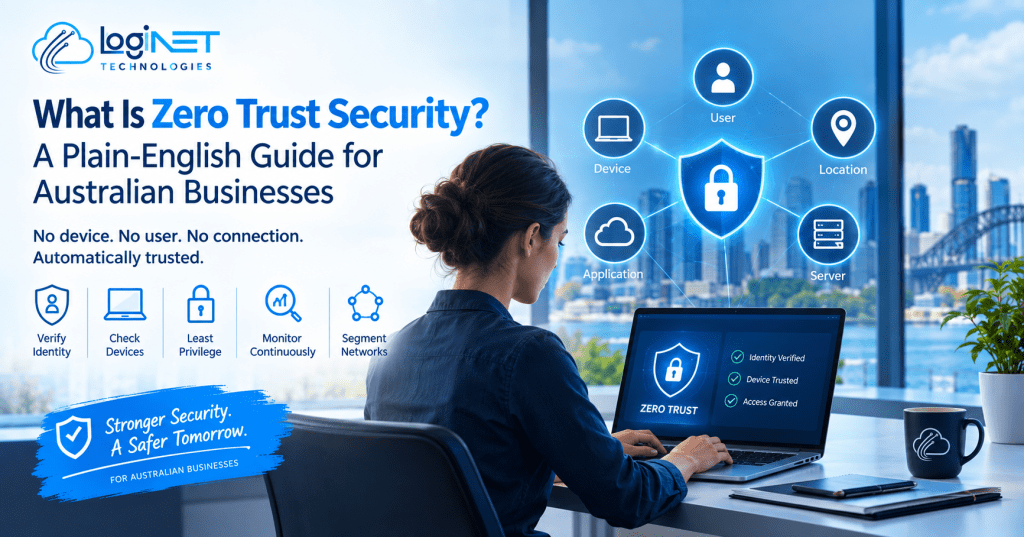
What is Zero Trust security, and does it apply to your business? In short, it’s a way of setting up your systems so that no device, no user, and no connection is automatically trusted, even ones already sitting inside your network. Every request to access a file, an app, or a server has to prove itself first, regardless of where it’s coming from. It sounds strict when you first hear it, but the logic behind it is simple once you see why the older model stopped working.
Most small and mid-sized businesses in Queensland aren’t running a full enterprise security program, and Zero Trust doesn’t require one. It’s a set of principles you can apply gradually, often as part of broader managed compliance support, rather than a single product you install overnight.
What “Trust No One by Default” Actually Means Day to Day
The phrase sounds abstract until you translate it into what actually happens when someone tries to open a file or log into a system. Under a Zero Trust approach, every one of those attempts gets checked, who is asking, from what device, from where, and whether that combination looks normal for that person. A staff member logging in from their usual laptop at the office looks different to a login attempt from the same account on an unfamiliar device at 2am, even if the password is correct both times.
This is what is zero trust security in practice: not a wall around the network, but a constant, quiet checking process that happens on every request rather than once at the front door. It’s less dramatic than it sounds. Most of the time it’s invisible to staff, a login prompt here, a device check there, and it only becomes noticeable when something genuinely looks wrong.
Why the Old “Castle and Moat” Network Model Stopped Working
For a long time, business security worked like a castle. You built a strong perimeter, a firewall, a VPN, maybe a locked server room, and once someone was inside that perimeter, they were largely trusted to move around freely. That model made sense when everyone worked from one office, on one network, using company-owned desktops that never left the building.
That setup barely exists anymore. Staff work from home, from client sites, from phones on mobile data. Files live in cloud platforms rather than on a server down the hall. Contractors and third-party software need partial access without ever setting foot inside the “castle.” Once the perimeter stopped being a meaningful boundary, trusting everything inside it stopped making sense too. A single compromised laptop or stolen password used to be enough to move around a network almost unchecked, which is exactly the gap Zero Trust is designed to close.
The Core Building Blocks of a Zero Trust Setup
A working Zero Trust environment is built from a handful of pieces working together rather than one tool doing everything:
- Strong identity verification, usually multi-factor authentication, so a password alone is never enough
- Device checks, confirming the device requesting access is known, patched, and not compromised
- Least-privilege access, where people and systems only get the access they actually need for their role, not broad default permissions
- Continuous monitoring, so unusual activity gets flagged after login too, not just at the point of entry
- Network segmentation, so that if one part of the system is compromised, it can’t move freely into everything else
That last point is where SIEM and threat monitoring and endpoint detection and response do a lot of the practical work, watching what’s happening across devices and the network in real time rather than assuming everything is fine once someone has logged in successfully.
What This Looks Like for a Business Without an Internal Security Team
Most businesses reading this don’t have a dedicated security analyst watching dashboards around the clock, and Zero Trust doesn’t assume you do. In practice, it usually means partnering with an IT provider who handles the monitoring and response side while your team focuses on running the business. That’s typically structured as a co-managed IT arrangement, where your existing IT setup or internal contact keeps day-to-day control, and the provider layers in the security monitoring, alerting, and response that a Zero Trust model depends on.
The honest trade-off is that Zero Trust adds a bit of friction for users, an extra verification step here, a device check there, in exchange for closing gaps that a “trust everyone inside the network” model leaves wide open. For most businesses that friction is minor once staff are used to it, and it’s considerably smaller than the disruption of dealing with a breach.
Zero Trust Security Australia: Where It Overlaps With Essential Eight and Compliance
For Australian businesses, Zero Trust principles line up closely with several controls already covered under the Essential Eight framework, multi-factor authentication and application control being the clearest overlaps. If your business already works toward Essential Eight maturity, you’re not starting from zero, a lot of that groundwork carries across directly.
[VERIFY CURRENT REQUIREMENT: any industry-specific regulatory obligation that references Zero Trust or equivalent access controls directly, as requirements vary by sector and change over time]. The practical takeaway is that Zero Trust isn’t a separate compliance checkbox sitting apart from your existing obligations, it’s largely a more structured way of meeting the access control and monitoring expectations that already sit inside most Australian compliance frameworks.
Getting Started Without a Full Rebuild
Adopting Zero Trust doesn’t mean ripping out your existing network and starting again, and any provider suggesting that as a first step is probably overselling the process. A realistic starting point usually looks like this: turn on multi-factor authentication everywhere it isn’t already enforced, review who has access to what and remove anything left over from old roles or projects, and get proper visibility into login and device activity so unusual patterns actually get noticed.
From there, segmentation and more granular access controls can be introduced gradually, prioritising the systems that would cause the most damage if compromised, financial systems, client data, admin accounts, rather than trying to apply the same level of control everywhere at once. [CONFIRM WITH CLIENT: if there’s a specific phased rollout sequence Loginet typically recommends, to reference here instead of a generic order].
FAQ
Is Zero Trust a product I can buy, or a strategy?
It’s a strategy, not a single product. It’s built from a combination of tools and configuration changes, identity verification, device checks, monitoring, working toward a shared set of principles, rather than something you switch on by installing one piece of software.
Do small businesses actually need this, or is it just for large enterprises?
Small businesses need it arguably more, since they’re less likely to have a dedicated security team catching problems manually. The core steps, like multi-factor authentication and access reviews, scale down easily and don’t require enterprise-level resourcing to implement.
How does Zero Trust affect remote and hybrid staff?
It generally makes remote work safer without making it harder to do, since access decisions are based on identity and device checks rather than whether someone happens to be inside the office network. Staff working from home or on the road get the same verification process as anyone logging in from the office.
Book a free compliance and security posture review.