Virtualisation Solutions for Queensland Businesses
Loginet’s virtualisation solutions help you get more from your hardware, cut costs and scale faster. We design, migrate and manage virtual servers, storage and networks, on-premises or in the cloud.
- 20+ IT experts certified in AWS, Microsoft, Cisco, Palo Alto, Fortinet and CEH
- 4+ years supporting Queensland small and medium businesses
- AWS Partner & Microsoft Azure Partner
Technologies We Work With






























What Is Virtualisation Solutions?
Virtualisation solutions let you run multiple virtual servers, desktops or networks on shared physical hardware, so you use fewer machines, scale faster and recover more easily when something goes wrong.
Day to day, a hypervisor such as Microsoft Hyper-V or VMware runs several virtual machines on one physical host. We design and build virtual environments, consolidate physical servers, integrate backups, monitor performance and keep the platform patched and secure.
For small and medium businesses, running one application per physical server wastes hardware and makes recovery slow. Virtualisation reduces hardware costs and simplifies management. Recent changes to VMware licensing have also led many businesses to review their platform choice.
Signs You Need Virtualisation Solutions
Virtualisation is worth exploring when:
- You run several physical servers that are mostly idle
- Adding a new server takes weeks of hardware purchasing and setup
- Recovering a failed server would take days
- Your VMware licensing costs have changed and you're reviewing options
- Server room space, power or cooling is becoming a problem
What's Included / How It Works in Practice
Our virtualisation solutions are scoped to your environment and typically include:
- Assessment: A review of current servers, workloads and licensing.
- Platform recommendation: Hyper-V, VMware or other options compared for your needs.
- Design and build: Hosts, storage and networking designed for performance and resilience.
- Physical-to-virtual migration: Existing servers moved to virtual machines with planned downtime windows.
- Backup integration: Virtual machines protected by tested backups.
- Performance monitoring: Resource use and health monitored, with regular reports.
Who Virtualisation Solutions Is For
Virtualisation suits businesses with multiple servers or growing infrastructure needs. We’ll tell you honestly whether virtualisation, cloud or a mix is the better fit.
- Businesses running several physical servers
- Organisations wanting faster provisioning
- Companies planning a move to cloud or hybrid
- Businesses needing better resilience
Benefits of Virtualisation Solutions With Loginet
Virtualisation helps you do more with less hardware, scale quickly and recover faster.
Lower hardware costs
Consolidating workloads onto fewer servers reduces hardware, power and maintenance costs. Hardware budgets go further. Fewer physical servers also means less heat, noise and rack space.
Faster scaling
New servers can be created in minutes rather than waiting for hardware. New projects aren't held up by hardware lead times. Test environments can be created and removed on demand.
Better resilience
Virtual machines are easier to back up, replicate and restore. Recovery after a failure is faster. Virtual machines can be moved between hosts for maintenance without downtime.
Simpler management
Central management gives visibility and control of your whole environment. Patching and maintenance take less time. Your whole environment is visible from a single console.
Our Virtualisation Solutions Services
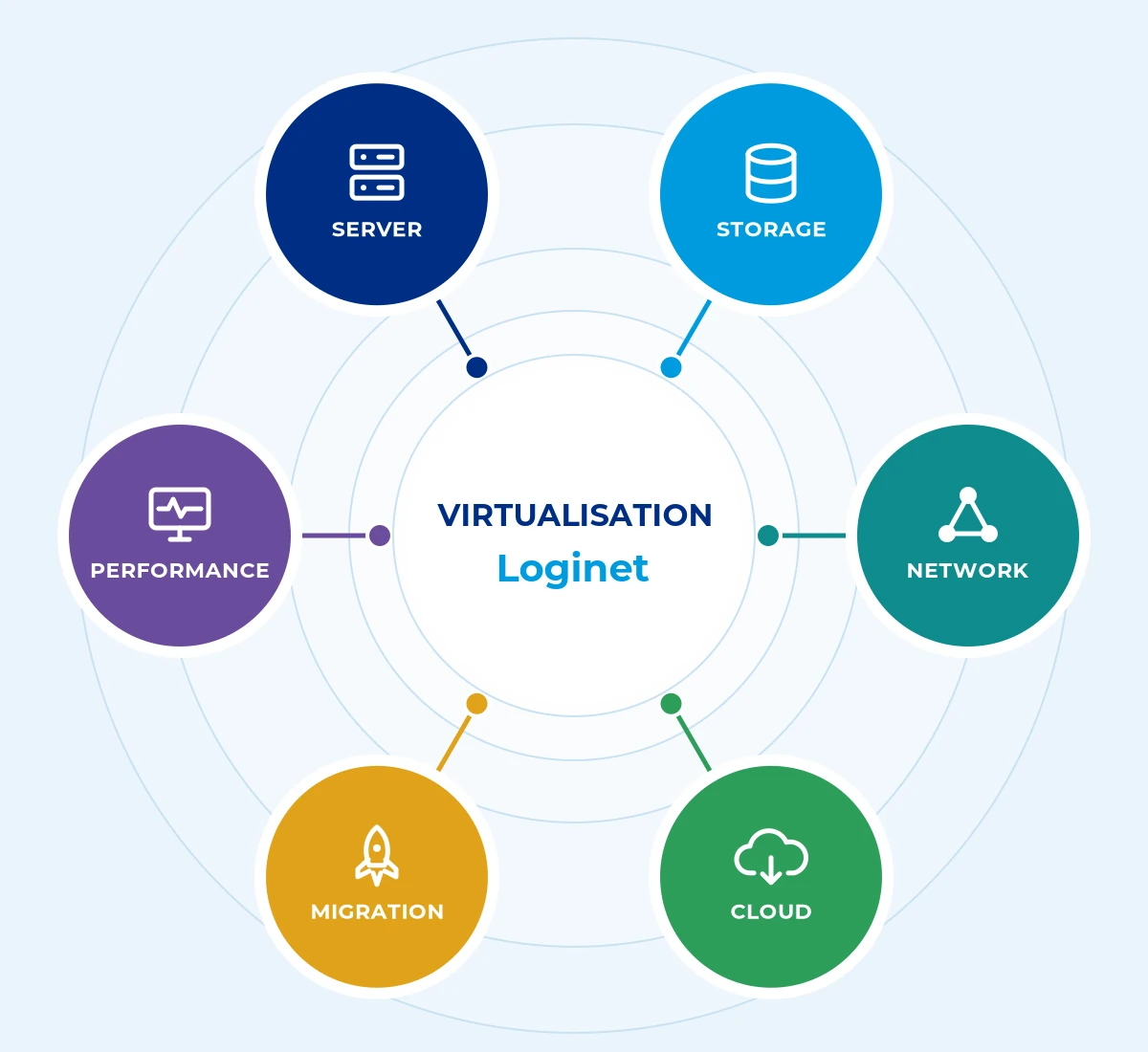
Loginet’s virtualisation solutions covers six core areas, scoped to suit your business so you only pay for what you need.
Server virtualisation
Consolidate physical servers onto virtual hosts. Fewer boxes to buy and maintain. Each workload keeps its own isolated environment.
Cloud virtualisation
Run virtual workloads on AWS or Azure. Scale on demand. You pay only for the capacity you use.
Storage virtualisation
Pool storage for flexibility and efficiency. Capacity is allocated where needed. Storage can be expanded without disrupting users.
Virtual infrastructure migration
Move workloads with minimal disruption. Migrations are staged and tested.
Network virtualisation
Software-defined networking for agility. Networks change without rewiring. Segments can be created to isolate sensitive systems.
Performance monitoring
Monitoring and tuning of virtual environments. Problems are spotted early. Capacity is reviewed so hosts never become overloaded.
How We Deliver Virtualisation Solutions
Every virtualisation solutions engagement follows four clear steps, so you know the scope, timeline and cost before work starts.
1. Assess
We assess your current servers and workloads, so the design fits how you actually use them.
2. Design
We design a virtual environment that balances performance, resilience and cost.
3. Migrate
We migrate workloads in planned stages, so disruption is kept to a minimum.
4. Monitor
We monitor and maintain the environment, so it stays fast and secure.
Virtualisation Solutions Across the Gold Coast, Toowoomba, Brisbane & Queensland
Loginet delivers virtualisation solutions from our Toowoomba head office and our Bundall office on the Gold Coast, with onsite support across Queensland and service available in other Australian states. Brisbane businesses are supported remotely, with onsite visits when needed. We support virtualisation solutions for businesses across South East Queensland, with managed IT in Toowoomba from our head office, managed IT on the Gold Coast from our Bundall office, and managed IT in Brisbane delivered remotely and on site from our Toowoomba and Bundall teams.
Gold Coast
Our Bundall office supports businesses across Southport, Surfers Paradise, Broadbeach, Robina and the wider Gold Coast.
Toowoomba
Our head office serves Toowoomba and the Darling Downs with local, onsite support.
Brisbane
We support Brisbane businesses remotely, with onsite visits arranged when your project needs them.
Regional Queensland
We provide onsite support across Queensland, with service available in other Australian states.
Why Choose Loginet for Virtualisation Solutions
Loginet designs virtual environments that are secure and supported.
- Cloud expertise: AWS Partner and Microsoft Azure Partner.
- Certified engineers: Across infrastructure and security.
- 24/7 monitoring: Virtual environments watched.
- Local: Toowoomba and Gold Coast offices.
Virtualisation Solutions FAQs
Here are straight answers to the questions we hear most. If yours isn’t covered, book a free 30-minute strategy call.
Virtualisation uses software to run multiple virtual machines, storage or networks on shared physical hardware.
Fewer physical servers, lower power and hardware costs, faster provisioning and easier backup and recovery.
Yes. We plan and migrate workloads in stages to minimise disruption.
It depends on your workloads, budget and connectivity. We can design on-premises, cloud or hybrid options.
We apply patching, access controls, segmentation, monitoring and backups to virtual infrastructure.
Yes. Performance and health are covered by 24/7 monitoring.
Yes. Brisbane businesses are supported remotely, with onsite visits arranged when needed, from our Toowoomba head office and Bundall (Gold Coast) office.
Most business applications run well on virtual machines. We check vendor support and test each workload before migration, so there are no surprises after go-live.
Both are mature virtualisation platforms. Hyper-V is included with Windows Server, while VMware offers a broad feature set with separate licensing. The right choice depends on your workloads, skills and budget.
Costs depend on the number of workloads, host hardware, storage, licensing for the virtualisation platform and ongoing management.
Desktop virtualisation runs user desktops on central servers or a cloud service, such as Azure Virtual Desktop, so staff can access a consistent desktop from different devices.
It depends on the number of servers and applications involved. We give you a timeframe after the assessment.
Book Your Free 30-Minute Strategy Call
The quickest way to get started is a free 30-minute strategy call. We’ll talk through your setup and goals and give you clear next steps, with no obligation. Prefer to write? Send us a message instead.
Let's talk about your IT
Book a free 30-minute strategy call with our team, or send us a message. No obligation, no hard sell, just straight answers about your IT, cloud and telecom.
Prefer to call?
Sales: Mon–Fri 9am–5pm AEST. Existing clients: 24/7 support on the same number.
Book a free 30-minute call
30 minutes · Video or phone · Times shown in Australia/Brisbane (AEST)
Calendar not loading? Open the booking page in a new tab (opens in a new tab)