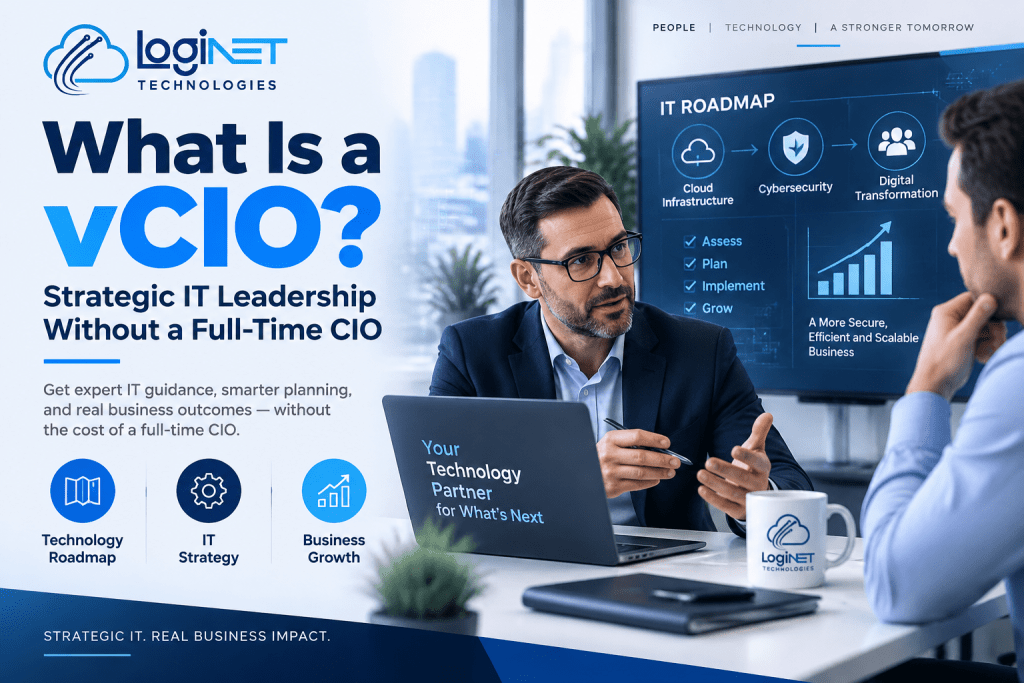
What Is a vCIO, and Does Your Toowoomba Business Actually Need One?
A virtual CIO, or vCIO, is an outsourced technology strategist who takes on the roadmap-and-budget side of an internal CIO’s job without you having to pay a full-time executive salary. Instead of showing up to fix a server or patch a firewall, a vCIO sits above the day-to-day IT work and asks a different question: is your technology actually set up to support where the business is going in the next one to three years?
If your business has grown past the point where IT is just “call someone when something breaks,” but you’re not at the size where hiring an internal CIO makes financial sense, this is usually the gap a vCIO is built to fill. It’s a role that sits between your existing managed IT provider and the boardroom, translating server upgrades and security patches into decisions a business owner or finance team can actually plan around.
Loginet works with Queensland businesses in exactly this position, offering virtual CIO services that sit alongside the managed IT services you might already have in place. This article walks through what the role covers in practice, how it differs from day-to-day IT support, and what to look for before you commit to one.
What a vCIO does day-to-day
A vCIO’s work is less about tickets and more about direction. In practice, that usually looks like:
Reviewing your current technology setup against where the business is heading, not just whether it’s working today. A vCIO will look at your systems, your growth plans, and any obvious gaps between the two.
Building and maintaining a technology roadmap, usually a 12 to 36 month view of what needs upgrading, replacing, or budgeted for, so spending decisions aren’t made in a panic when something fails.
Sitting in on budget conversations. Instead of an IT bill arriving as a surprise, a vCIO helps forecast technology spend as part of normal business planning, the same way you’d plan for rent or wages.
Acting as a bridge to your technical team. A vCIO doesn’t usually rack servers or run cabling. They interpret what the technical side is telling you and translate it into decisions leadership can actually weigh up.
Keeping an eye on risk. Cybersecurity posture, compliance obligations, backup adequacy, this is the kind of thing that tends to get ignored until it becomes a crisis, and a vCIO’s job is to keep it on the agenda before that happens.
The cadence varies by provider, but most vCIO engagements run on a fixed rhythm, monthly or quarterly strategy reviews, rather than ad hoc calls whenever a problem comes up.
Hire virtual CIO Toowoomba: how the role differs from your managed IT provider
This is the part that trips people up most often, because on paper the two roles can sound similar. They’re not doing the same job.
Your managed IT provider is focused on keeping things running. That’s patching, monitoring, help desk support, network management, the operational layer that has to work every single day. It’s reactive by necessity, because when something breaks, someone needs to fix it fast.
A vCIO sits a level above that. They’re not the ones responding to a ticket about a slow printer. They’re asking whether your current infrastructure will still make sense in eighteen months, whether your backup strategy actually matches your risk exposure, and whether the money you’re spending on technology is going toward things that move the business forward or just keeping the lights on.
In a lot of cases, a vCIO and your ITSM consulting provider or managed IT team work alongside each other rather than replacing one another. The vCIO sets direction and priorities; the operational team executes against it. When those two functions are disconnected, you tend to end up with IT spending that reacts to whatever broke most recently, rather than following any kind of plan.
Signs your business has outgrown reactive IT support
A few patterns tend to show up consistently in businesses that are ready for a vCIO, even if they haven’t put a name to it yet.
Technology decisions get made in a hurry, usually right after something has already gone wrong, rather than as part of any forward planning. Nobody internally can give a straight answer about what the IT budget will look like next year, or why. The business has grown, added staff, added locations, or added new systems, and the technology underneath hasn’t been reassessed to match. Security and compliance conversations only happen after an incident, a client audit, or a insurance renewal forces the issue. There’s no one internally whose job it is to think about technology strategically, because everyone’s time is spent keeping current systems operating.
None of these on their own means you need a vCIO immediately. But if most of them sound familiar, it’s usually a sign that IT has been running on autopilot for longer than it should have.
What a vCIO engagement typically costs
Costs vary depending on the provider, the size of the business, and how involved the engagement is, so it’s worth treating any number you’re quoted as specific to your situation rather than a fixed industry rate. What tends to differ most between providers is scope, some vCIO arrangements are a light monthly touchpoint, others are a much deeper, hands-on involvement in planning and vendor management.
[CONFIRM WITH CLIENT: specific Loginet vCIO pricing or package structure before publishing]
What’s more useful than a headline number is understanding what’s actually included, which is really the next question.
What to ask before hiring a vCIO provider in Queensland
Before signing on with any vCIO, whether that’s Loginet or someone else, a few questions tend to separate a genuinely useful engagement from one that’s light on substance.
How often will we actually meet, and is that written into the agreement or just implied? Will the same person handle our account consistently, or does it rotate? How does the vCIO work with our existing IT support, do they coordinate directly, or does that fall back on us to manage? What does a technology roadmap actually look like in practice, can we see an example? And is pricing structured as a flat retainer, or does it flex with the amount of work involved?
A provider who can answer these clearly, without vague language, is usually a reasonable indicator of how the actual engagement will run.
Frequently asked questions
Is a vCIO the same as an IT consultant?
Not quite. An IT consultant is often brought in for a specific project or a defined piece of advice, then the engagement ends. A vCIO is an ongoing relationship, closer to having a part-time executive on the team, focused on continuous strategic oversight rather than a single deliverable.
How many hours does a vCIO typically work per month?
This varies significantly by provider and by the size and complexity of the business, so it’s genuinely worth asking directly rather than assuming a standard figure applies.
Can a vCIO work alongside our existing IT team?
Yes, and in most cases that’s exactly how it’s meant to work. The vCIO handles strategy and roadmap; your existing IT support or managed IT provider handles execution. The two roles complement each other rather than compete.
What size business actually needs a vCIO?
There’s no strict headcount cut-off. It tends to come down to complexity rather than size alone, a smaller business with multiple locations, sensitive data, or fast growth can outgrow reactive IT support well before a larger, simpler business does.
If any of this sounds like where your business is at, the next step is a conversation, not a sales pitch. Talk to a Loginet vCIO about your technology roadmap.