Short answer: Most IT support Toowoomba work is remote — passwords, Microsoft 365, patching, VPN and monitoring alerts. Hardware installs, cabling, Wi-Fi surveys, PC rollouts and physical outages still need someone on site. A good provider starts remote, then sends an engineer when hands-on work is the only option.
If you’re comparing options for managed IT services Toowoomba, this guide is about the remote-versus-onsite decision, not a full service list. For how support tickets usually work, see IT support and help desk services.
What remote IT support Toowoomba teams can (and can’t) fix
Remote support means an engineer connects to your systems over a secure session, or works in the admin consoles that already manage your environment. For most Toowoomba offices, that covers the bulk of the week’s tickets.
Usually fixed remotely
- Password resets, account unlocks and MFA re-enrolment on a new phone
- Microsoft 365 mailbox, OneDrive, SharePoint and Teams permission problems
- Software installs from an approved list, licence assignment and app troubleshooting
- Patching Windows and business apps on a schedule
- VPN and remote-access faults for staff working from home
- Printer and peripheral problems that a standard fix solves
- Monitoring alerts: failed backups, offline devices, disks filling up, missed updates — see remote monitoring and management
- Starters and leavers: creating or removing accounts, licences and access
Usually needs someone on site
- Unboxing, racking or installing new hardware (PCs, servers, firewalls, switches, access points)
- Structured cabling, patch-panel work and physical network changes
- Wi-Fi site surveys and placing access points where coverage is weak
- New PC or laptop rollouts where devices must be imaged, labelled and handed over in person
- Physical server, storage or network outages where equipment won’t respond remotely
- Office moves, new fit-outs and site surveys before a project starts
- Hardware that has failed and needs swapping out of a rack or desk
Remote isn’t a lesser option. For software and account problems, it’s usually faster because the engineer can start as soon as the ticket is logged. On-site visits matter when the job needs eyes, hands or tools in the room.
When to send someone on site
Use these cues rather than waiting for a vague “we’ll see”:
- The device or network won’t respond remotely. If a PC won’t boot, a switch is dead or the office internet is down at the wall, remote tools can’t reach it.
- The fix needs physical access. Cabling, rack work, swapping a hard drive or moving an access point can’t be done over a remote session.
- Several devices or people are blocked at once. A shared outage that remote checks can’t clear is a signal to get someone on the floor.
- You’re installing or refreshing kit. New hardware, a Wi-Fi redesign or a batch of staff laptops almost always needs an on-site visit at some point.
- Remote diagnosis keeps looping. If the same ticket has been reopened after remote attempts, an engineer on site often finds what a screen share can’t.
None of that requires inventing a same-day promise. What matters is that your provider has a clear path from remote attempt to on-site visit, and that you know who travels from where.
How a typical ticket flows
A well-run IT support process for a Toowoomba business usually looks like this:
- Staff log the request through the agreed channel (portal, email or phone), with enough detail for triage.
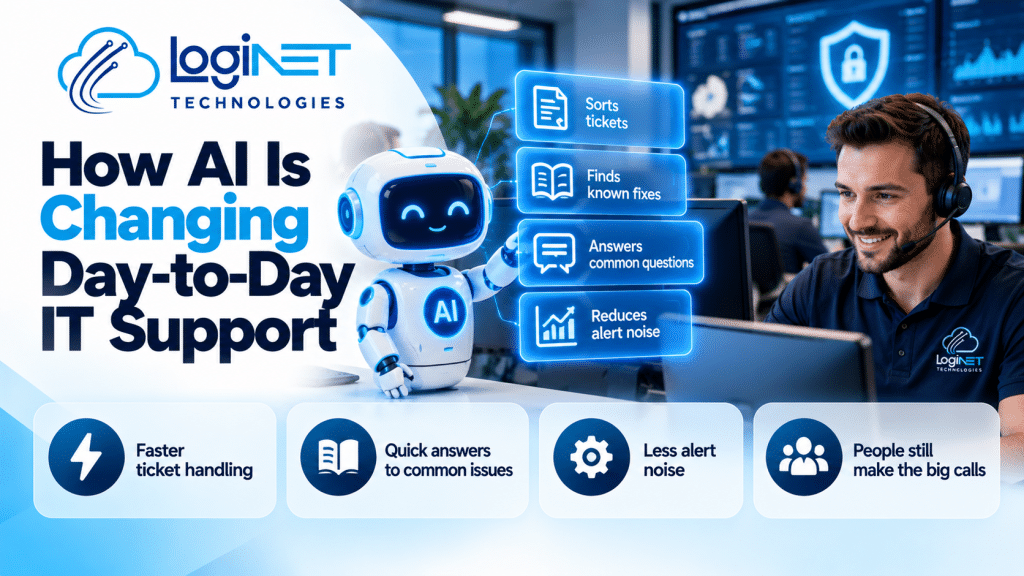
- Helpdesk triages and starts remote. Password, MFA, Microsoft 365 and software issues are often resolved at first contact.
- If remote can’t finish the job, the ticket is escalated: more senior remote diagnosis first, then an on-site booking when physical work is required.
- On site, the engineer completes the hands-on work, updates documentation and closes the ticket once the user confirms it’s fixed.
- Recurring issues get a permanent fix — a script, a policy change or a project — so the same problem doesn’t keep coming back.
Co-managed IT follows the same idea when you already have an in-house IT person: remote tools and monitoring sit alongside your staff, and on-site help is arranged when the job needs it.
What Toowoomba businesses should ask a provider
Before you choose IT support in Toowoomba, ask these questions in plain language:
- What share of tickets do you expect to close remotely? A honest answer is “most day-to-day work”, not “everything”.
- When do you send someone on site, and from which office? You want a clear trigger, not a shrug.
- Who books and tracks on-site visits? Tickets shouldn’t disappear between “we’ll remote in” and “someone will come out”.
- How is after-hours monitoring handled? Ask what is watched overnight and what happens when an alert fires — separately from whether a person is on the phone.
- Can you work with our existing IT person? If you already have someone, ask about co-managed cover rather than a full takeover.
- What’s included in ongoing managed IT versus ad-hoc support? Break-fix support and a managed plan are different; make sure the proposal says which one you’re buying. Our managed IT services page outlines the broader model.
Write the answers down. Vague wording around on-site cover is one of the most common gaps in small-business IT agreements.
How Loginet helps Toowoomba businesses
Loginet’s head office is in Toowoomba at 12/217 Margaret Street, with a second office in Bundall on the Gold Coast. Support staff work across Australia. We fix most issues remotely first, then send an engineer on site across Queensland and other Australian states when the job needs hands-on work.
Office hours are Monday to Friday, 9am–5pm. Separately, we provide 24/7 threat monitoring so devices, servers and security signals are watched outside those hours. For the full local service picture — helpdesk, monitoring, cyber security, Microsoft 365 and more — see our managed IT services Toowoomba page.
Frequently asked questions
Is remote IT support enough for a Toowoomba business?
For most day-to-day problems — passwords, MFA, Microsoft 365, software, patching and monitoring alerts — yes. You still need a provider who can come on site for hardware, cabling, Wi-Fi work, device rollouts and physical outages.
Is Loginet based in Toowoomba?
Yes. Loginet’s head office is at 12/217 Margaret Street, Toowoomba. We also have a Gold Coast office in Bundall and support staff across Australia.
Do you come on site in Toowoomba?
Yes. Most issues are fixed remotely first. When hands-on work is needed, our engineers come on site from the Toowoomba office, and we also provide on-site support across Queensland and other Australian states.
What IT problems are usually fixed remotely?
Password and MFA resets, Microsoft 365 and email issues, approved software installs, patching, VPN problems, printer faults that a standard fix solves, monitoring alerts, and starters and leavers account work.
How do I book IT support with Loginet?
Book a free 30-minute strategy call. We’ll talk through how your support works today, what should be remote versus on site, and whether ad-hoc support or managed IT fits better.
What’s the difference between IT support and managed IT?
IT support is the helpdesk that fixes problems as they arise. Managed IT is the broader ongoing service: monitoring, patching, security, Microsoft 365 and proactive maintenance as well as the helpdesk. Many Toowoomba businesses use both under one agreement.
Not sure whether your next issue needs a visit?
Book a free 30-minute strategy call. We’ll map which of your tickets should stay remote, which need someone on site, and how Loginet covers both from Toowoomba.