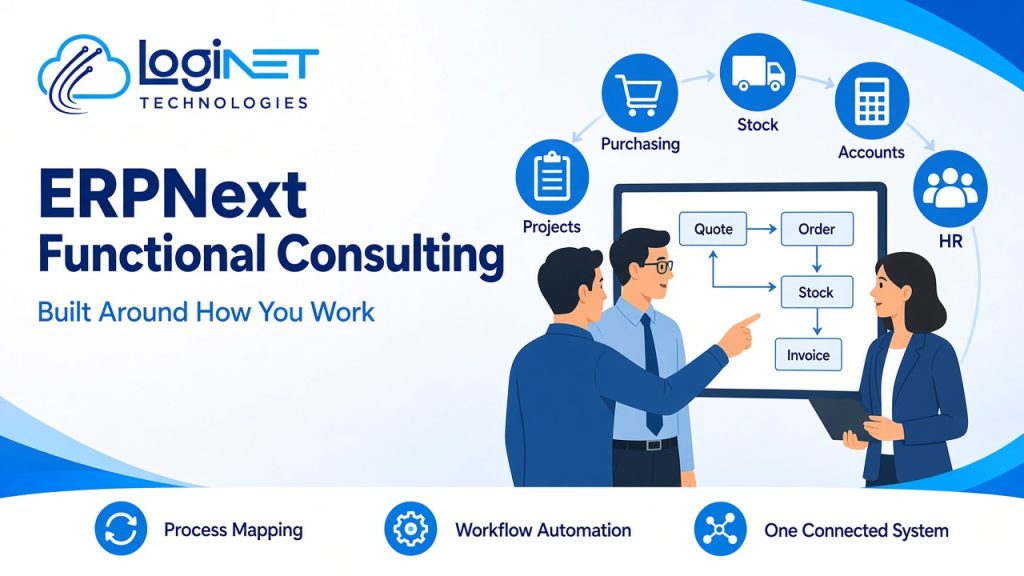
Short answer: ERPNext functional consulting works out how your business really runs, from quote to cash, purchase to payment, and stock to delivery. It then sets up ERPNext to match, so sales, purchasing, stock, accounts, HR and projects all sit in one system. Repetitive work such as approvals, reminders, document creation and reorders gets handed over to automation.
Plenty of ERP projects fail for a simple reason. The software is installed and configured to suit the software, and the business has to work around it. Functional consulting reverses that. It starts with your processes, your people and your paperwork, and only then decides how ERPNext should be set up. This guide explains what that involves, what can be automated and how it connects to deployment and customisation.
If you’re still choosing a platform, read our comparison of Odoo vs ERPNext vs Oracle first. If you’ve chosen ERPNext and want the technical detail on hosting, custom doctypes and integrations, see our guide to ERPNext deployment and customisation. This post covers the step before both: designing the system around the business.
What is ERPNext functional consulting?
ERPNext functional consulting is the business side of an ERPNext project. A functional consultant looks at how work moves through your business and turns that into ERPNext settings, workflows, roles and reports. A technical consultant or developer handles servers, code and integrations.
In practice, functional consulting answers questions like these:
- Who raises a quote, who approves it, and what happens when the customer accepts?
- When does stock get reserved, picked, delivered and invoiced?
- Which purchases need approval, and at what point?
- How are costs and time recorded against projects?
- What do owners and managers need to see each week, and where does that information come from today?
The answers become a design that the rest of the project builds to. Without that design, teams usually end up with a system that technically works but that staff quietly avoid in favour of spreadsheets.
Why should an ERP be built around your processes, not the other way round?
Every business has a few ways of working that set it apart: how it prices, how it handles urgent orders, how it manages approvals, or how it tracks jobs. Forcing those into a generic setup creates workarounds, and workarounds are where errors and double entry come back in.
That said, “built around your processes” doesn’t mean copying every old habit into new software. Good functional consulting separates two kinds of process:
- Processes that give you an edge. These are worth configuring or customising ERPNext to support properly.
- Processes that exist only because of old tools. Re-keying orders into a second system, chasing approvals by email, or keeping a separate stock spreadsheet. These should be simplified or removed, not rebuilt.
The aim is a system your team recognises as theirs, with less admin than before.
How does ERPNext bring sales, purchasing, stock, accounts, HR and projects together?
ERPNext is a single system, so a record created in one area flows through to the others without being re-entered. Here’s how the main modules connect when they’re set up around one process.
| Area | What it handles in ERPNext | What it connects to | What changes for your team |
|---|---|---|---|
| Sales | Leads, quotes, sales orders, delivery notes and invoices | Stock (availability, reservations), accounts (invoices, receivables) | A quote becomes an order and then an invoice without re-typing |
| Purchasing | Material requests, supplier quotes, purchase orders and receipts | Stock (incoming goods), accounts (bills, payables), projects (costs) | Approvals and supplier history are in one place |
| Stock | Items, warehouses, stock movements, batches, serial numbers and reorder levels | Sales, purchasing, accounts (stock value) | Stock levels are current rather than updated at the end of the week |
| Accounts | General ledger, receivables, payables, bank reconciliation, GST tax templates and reports | Every module that creates a financial transaction | Fewer manual journals and a clearer month-end |
| HR | Employee records, leave, attendance, expense claims and onboarding (in current versions, HR and payroll come through the separate Frappe HR app) | Projects (timesheets), accounts (expenses) | Leave and expenses follow a set approval path |
| Projects | Projects, tasks, timesheets and costing | Sales (billing), purchasing (costs), HR (time) | Real project costs and margins, not estimates |
The value comes from those connections. When stock, sales and accounts share one set of records, the question “how much did we make on that job?” has one answer instead of three.
What does an ERPNext functional consulting engagement involve?
Every business is different, but a typical ERPNext project follows a flow like the six steps below. Treat it as a guide rather than a fixed method: the order and depth of each step depend on the size of the business and how much is changing.
1. Discovery
We talk to the people who do the work, not just the people who manage it. We map the main flows (typically quote to cash, purchase to pay, stock and inventory, record to report, hire to retire and project delivery), and note where data is re-entered, where approvals stall and which reports people actually use.
2. Fit-gap analysis
Each requirement is checked against standard ERPNext. Most will be met by configuration. Some will need a custom field, a workflow or a script. A few may need a custom app or a change to the process itself. You get a clear list of what’s standard, what needs customising and what we recommend changing instead.
3. Solution design
The design covers the chart of accounts and GST setup, item and warehouse structure, naming series, user roles and permissions, approval workflows, print formats, and the reports and dashboards each role needs. This is the blueprint for configuration and customisation.
4. Configuration, customisation and automation
ERPNext is set up to the design. Our in-house team handles customisation, following a simple rule: configure first, customise second, and write code only where it gives you a real advantage. The technical side, including how Loginet deploys ERPNext with Docker or bench, is covered in our ERPNext deployment and customisation guide.
5. Testing with real scenarios
Your team runs real transactions through a test environment: a typical order, an urgent order, a partial delivery, a supplier return, a month-end. Problems are found here rather than after go-live.
6. Training, go-live and refinement
Training is role-based, so each person learns the screens and steps they’ll use. After go-live, we review how the system is being used and adjust workflows, reports and automation as the business settles in.
What business processes can ERPNext automate?
ERPNext business process automation covers most of the repetitive work that eats into a team’s week. Common examples include:
- Approvals. Workflows route purchase orders, quotes, leave requests and expense claims to the right approver based on rules such as value or department.
- Document creation. Sales orders can create delivery notes and invoices, and material requests can create purchase orders, without re-typing.
- Reorders. Reorder levels on items can raise material requests automatically when stock falls below a set point.
- Recurring transactions. Recurring invoices, subscriptions and regular journals can be generated on a schedule.
- Notifications and reminders. Email or system alerts for overdue invoices, upcoming renewals, pending approvals or low stock.
- Assignments. Assignment rules hand new leads, issues or tasks to the right person or team automatically.
- Reports and dashboards. Auto email reports send key figures to managers on a set schedule, so nobody has to build the same spreadsheet each week.
- Validation. Server scripts can block common mistakes, such as invoicing a customer who is over their credit limit or saving an order without a required reference.
The best automation candidates are tasks that happen often, follow clear rules and currently rely on someone remembering to do them. Functional consulting identifies these during discovery, so automation is planned rather than bolted on later.
How do you know if your business needs ERPNext functional consulting?
You’ll probably benefit from functional consulting if several of these sound familiar:
- The same information is typed into more than one system or spreadsheet
- Stock levels are uncertain until someone does a count
- Approvals happen by email or in conversation, with no record
- Month-end takes days of reconciling between systems
- Nobody can easily see project margins or job costs
- An earlier ERP or software setup was installed but never fully adopted
If you’re also weighing up whether you need an ERP at all, our ERP solutions page explains the options and how we help with selection, implementation and support.
How is functional consulting different from ERPNext deployment and customisation?
They’re parts of the same project, but they answer different questions.
- Functional consulting answers what the system should do and why: the processes, roles, approvals, reports and automation your business needs.
- Deployment answers where and how ERPNext runs: hosting, environments, backups and upgrades.
- Customisation answers how gaps are filled: custom fields, doctypes, scripts and apps.
Skipping the functional work tends to produce customisations that solve the wrong problem, or that have to be redone once the real process becomes clear. Starting with it means every technical decision has a business reason behind it.
Frequently asked questions
What does an ERPNext functional consultant do?
An ERPNext functional consultant maps how your business works and turns it into ERPNext configuration. That includes workflows, user roles, approval rules, accounts and GST setup, and reports. They connect your team’s day-to-day work with the technical setup.
Can ERPNext automate approvals and repetitive tasks?
Yes. ERPNext workflows, assignment rules, notifications, auto email reports and server scripts can automate approvals, reminders, reorders, recurring invoices and document creation. The best candidates are frequent tasks that follow clear rules.
Do we have to change our processes to use ERPNext?
Not the ones that set your business apart. Those can usually be supported through configuration or customisation. Processes that only exist because of old tools, such as re-keying data, are often worth simplifying instead of rebuilding.
Can ERPNext manage sales, stock, accounts, HR and projects in one system?
Yes. ERPNext covers sales, purchasing, stock, accounting, HR and projects in a single system. Records flow between modules, so an order updates stock and accounts without being entered twice.
How is functional consulting different from ERPNext customisation?
Functional consulting decides what the system should do and why, based on your processes. Customisation is the technical work of adding fields, doctypes, scripts or apps to fill any gaps the design identifies.
Does Loginet work with businesses outside a particular industry?
Yes. Loginet works with Australian businesses of all kinds. Discovery starts with how your business operates, so the ERPNext setup reflects your processes rather than a generic template.
Ready to build ERPNext around your business?
The quickest way to see what ERPNext could look like for your business is to map one or two of your core processes against it. Book a free ERP discovery session and we’ll talk through how your sales, purchasing, stock, accounts, HR and projects work today, and where automation could take over the repetitive work. You can also explore our ERP solutions for more detail.