
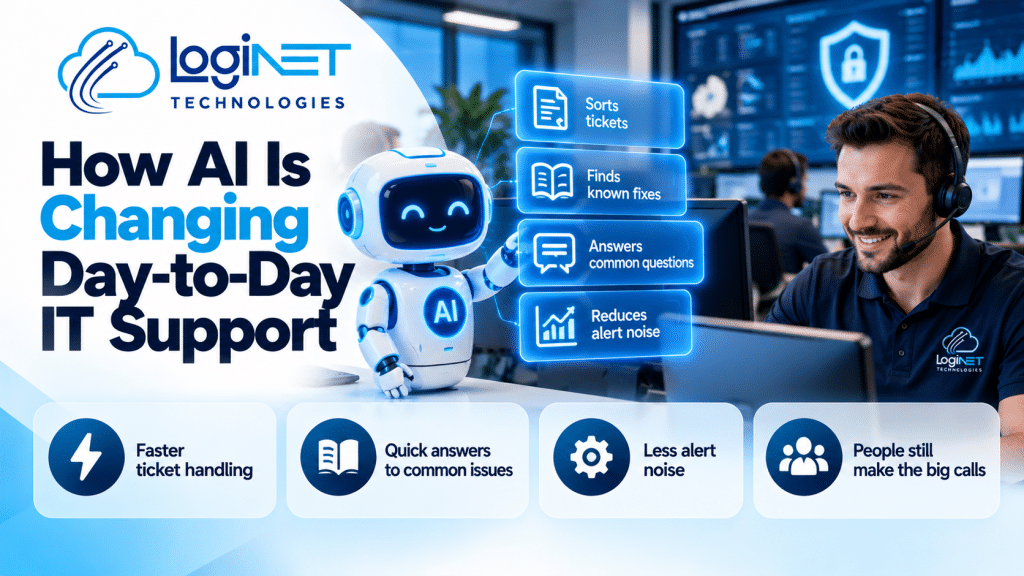
How AI Is Changing Day-to-Day IT Support
AI in IT support mostly speeds up the routine work, like sorting tickets, finding known fixes and cutting alert noise. People still make the judgement calls, approve changes and fix whatever’s actually broken. Hype aside, that split is what matters for your business.
Plenty of vendor emails explain how AI is changing IT support. Few mention what stays exactly the same. So here’s the plain story, from the help desk side.
What does AI handle well in a help desk today?
Repetitive, well-documented work. Password resets, common how-do-I questions, sorting incoming tickets and pulling up fixes that have worked before are all things AI does quickly and reasonably reliably.
Think of it as a fast, slightly overconfident junior. It reads the ticket, guesses the category, and suggests the usual fix. Spot on for the boring, repeatable stuff. It’s also handy for summarising a long ticket thread so the next technician doesn’t wade through thirty messages.
What does it still get wrong?
Anything that needs context. AI will confidently suggest a fix for the wrong problem, miss that a change will break another system, and can’t tell when a user’s story doesn’t add up.
Picture a ticket that says “Wi-Fi is slow”. The tool suggests restarting the router. The real cause is a tired network switch two rooms away. A person who knows your office spots that. A suggestion engine doesn’t.
In our support model, L1 is the first point of contact for everyday tickets, and L3 software engineers step in when a fix needs code-level work. That last layer is judgement and experience, and nothing automated replaces it.
How does it change ticket handling and self-service?
Tickets get sorted and routed faster, and common questions can be answered before a person is involved. Ticket triage improves, but the quality depends on the guides and past tickets the tool can read.
Any self-service tool, AI or not, is only as good as the guides behind it. We keep documented procedures and a searchable knowledge base, and our incident reports include root cause analysis, because the same fix shouldn’t be rediscovered every time.
One warning. Self-service that sends frustrated staff round in circles is worse than no self-service. Always keep a quick route to a human. If you want to see how tickets get handled day to day, our help desk services page covers it.
What does it mean for monitoring alerts?
Fewer pointless alerts reach a human, because AI can group duplicates and flag the odd ones. It doesn’t decide which alert matters to your business. That still takes someone who knows your setup.
Alert volume is a daily headache for any IT team. Our network monitoring runs 24/7, and support does too, so someone is always looking. The risk with any filtering is a real warning getting buried. That’s why human oversight matters most here. Someone has to own the thresholds and check what’s being filtered out.
Which jobs does AI help with, and which still need a person?
AI helps most with repeatable, low-risk tasks and least with anything involving judgement, accountability or physical presence. The table shows where the line usually sits.
| Task | What AI helps with | What still needs a person |
|---|---|---|
| Password resets and common requests | Handles the routine steps and walks users through them | Confirming the person is who they say they are, and anything unusual |
| Ticket sorting | Suggests a category and priority | Spotting the ticket that’s more serious than it sounds |
| Looking up known fixes | Finds likely matches quickly | Deciding whether that fix suits this particular system |
| Diagnosing a faulty system | Offers starting points | Testing, judgement and finding the actual cause |
| Approving a change | Summarises the request | Weighing the risk and signing off |
| On-site work | Very little | Everything. Someone has to be in the room |
What are the risks when staff paste company information into public AI tools?
Treat anything pasted into a public tool as out of your hands. Customer details, contracts, passwords and network diagrams are the usual culprits, and it’s easy to do without thinking it’s risky.
This is a data privacy problem before it’s an IT problem. Nobody’s being careless on purpose. They’re trying to write an email faster or fix a spreadsheet.
A few things sort it out:
- A one-page rule on what can and can’t go into outside tools.
- Off-limits categories, spelled out in plain words: customer information, credentials, contracts, financial records, anything about how your network is laid out.
- Approved options, so people aren’t guessing.
- A quick check by your IT provider before a new tool gets used with real data.
Rules nobody can find don’t work. Put it somewhere staff will actually see it.
What should you ask your IT provider about AI?
Ask what they use it for, who checks the results, and where your data goes. A straight answer matters more than a clever one, and “we don’t use it” can be a fine answer.
- What it’s used for. Sorting tickets, searching fixes, or something else?
- Who checks it. A person should review anything that changes a system.
- Where your data goes. Does anything from your tickets get fed into outside tools? Get the answer in writing.
- What happens when it’s wrong. Someone should own the mistake, and you should know who.
- What actually improves for you. Faster answers, fewer repeat problems, better reporting? Ask how they’d show you.
If you’re rethinking how your service desk runs, Loginet’s IT consulting covers service desk workflow design and platform selection. For day-to-day help, see our IT support page.
We’ve been in IT for 4+ years and every project is senior-led, which suits this kind of question. It’s a judgement call, not a product pitch.
FAQs
Will AI replace IT support staff?
No, not for the parts that matter most. AI can take over repetitive requests, but diagnosing odd faults, approving changes and on-site work still need people. The job shifts towards the harder tickets.
Is it safe to use AI tools with business data?
It depends on the tool and the data. Treat public tools as out of your control and keep customer details, credentials and contracts out of them. Agree what’s allowed in writing, and ask your IT provider to review any tool before staff use it with real data.
Who is responsible when AI gets an answer wrong?
The business or provider using it. A wrong suggestion is still a wrong suggestion, so someone should check anything that changes a system or touches your data before it goes ahead.
Do small businesses need AI-powered IT support?
Not necessarily. Faster ticket handling is nice, but what matters is that problems get fixed properly and someone’s watching your systems. Ask what a tool actually changes for you before paying for it.
Got questions about where AI fits in your IT support? Contact Loginet on (07) 4599 7909 or at contact@loginet.com.au. No pressure, just a straight chat.
