
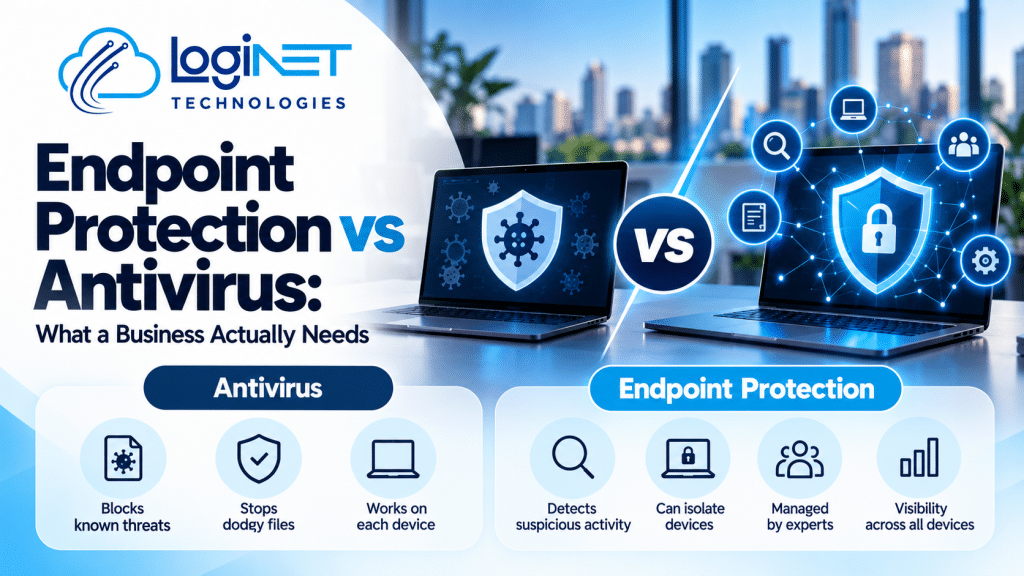
Endpoint Protection vs Antivirus: What a Business Actually Needs
Antivirus blocks known bad files. Endpoint protection adds behaviour monitoring, device containment and, when managed, people who investigate alerts. Businesses with client data, several laptops, remote staff or no in-house IT are the ones most likely to outgrow antivirus alone.
If you’re weighing endpoint protection vs antivirus, you’re probably running whatever came with the computers. Fair enough. For plenty of businesses that’s been fine. The real question is whether it still covers what you’d lose if one laptop got hit.
What does antivirus still do well?
Quite a lot. Good antivirus catches known malware, blocks dodgy downloads and costs little effort to run. For everyday threats on a handful of careful users, it’s still a sensible baseline.
Don’t rip it out. Endpoint protection builds on that layer rather than replacing the idea. The gap shows up when something doesn’t match a known threat, or when an alert fires and nobody’s around to read it. An antivirus that blocks one file and says nothing tells you very little about what else happened on that machine.
Is endpoint protection for small business overkill?
Not if you hold client data, rely on laptops or couldn’t cope with a week offline. A two-person team with careful habits might be fine on antivirus and good basics.
To be frank, size matters less than what you’d lose. A small accounts firm holding client tax files has more at stake than a bigger business with nothing sensitive. Ask three things. What’s on these devices? How long could we operate without them? Does anyone review security alerts? Two “don’t knows” and you’ve probably outgrown antivirus alone.
What does endpoint protection add?
Behaviour-based detection, the ability to contain a compromised device, and visibility across every machine. Managed properly, it also adds people who investigate what the software flags.
Loginet’s endpoint protection service brings these pieces together:
- Next-generation antivirus. Catches threats by how they behave, not just by what they look like.
- EDR. Lets someone see what an attacker actually did on a machine.
- Ransomware rollback. Aimed at reversing the changes a ransomware attack makes to files.
- Device and application control. Limits which devices and programs can run, which shrinks the ways something nasty gets in.
- Web filtering and vulnerability scanning. Stops risky sites loading and flags software that needs attention.
It covers Windows, macOS and often Linux, so a mixed fleet is covered.
How do antivirus and endpoint protection compare side by side?
Antivirus mostly blocks known threats on one device. Endpoint protection watches behaviour across all devices, can respond, reports on what happened, and can put someone on the other end of the alert.
| Antivirus | Endpoint protection | |
|---|---|---|
| Detection method | Mainly checks files against known threats | Adds behaviour monitoring to catch what doesn’t match anything known |
| Response | Blocks or quarantines a file; the rest is up to you | Can isolate an affected device and support investigation and clean-up |
| Visibility | Device by device | One view across every protected device |
| Reporting | Basic, or you go looking for it | Summaries of blocked threats, vulnerabilities and protection status |
| Who acts on alerts | Whoever is at the machine, or nobody | People investigate them, when the service is managed |
How does ransomware change things?
It shifts the question from “is this file bad?” to “how fast can we stop the spread?”. Ransomware moves quickly, so speed of containment and ability to recover matter more than a clean scan.
Antivirus can stop a known strain at the door. A new strain, or one that arrives through a stolen login, may walk straight past it. By the time someone notices files won’t open, the damage is done. That’s why recovery tools and isolating the affected device sit alongside detection. Backups still matter too. Software that limits the damage isn’t a substitute for a tested backup.
Who actually watches the alerts?
Someone has to, or it’s just noise. With a managed service, people investigate alerts rather than leaving software to run alone. Without one, alerts often sit unread until something breaks.
Some call this managed detection and response. The label matters less than the details, so ask exactly what happens and when. In Loginet’s service, threat monitoring runs 24/7. Hands-on investigation and remediation happens during business hours, with escalation for after-hours emergencies. Critical threats trigger automatic containment that isolates the affected device. Clients also get monthly reports on blocked threats, vulnerabilities and protection status.
If you want visibility beyond individual devices, threat monitoring across the wider network is the next layer.
How much do patching and staff habits matter?
As much as the software, to be frank. Plenty of attacks rely on known holes or tricked staff, so missing patches, weak passwords and rushed clicks can undo good protection.
The Australian Cyber Security Centre recommends the Essential Eight as a baseline, and patching applications and operating systems is part of it. The vulnerability management side of the service identifies and prioritises missing patches and vulnerable software, so you know where to start. Someone still has to apply those patches, and that job needs an owner. Staff habits sit on top: reporting odd emails early, not reusing passwords, locking devices.
When is endpoint protection not the real problem?
When the weak spot isn’t a device. Stolen passwords, missing multi-factor authentication, untested backups and old unsupported systems cause trouble that no endpoint tool fully fixes.
Say someone’s email login gets phished. The attacker signs in from their own machine, so there may be no malware on your devices to detect. The fix there is multi-factor authentication and sensible account controls. Same story with a backup nobody’s tested: protection won’t help if the restore fails. Before you spend, gut-check the basics. Passwords, MFA, backups, supported systems. Get those sorted out first, and protection on the devices becomes the next layer rather than the only one.
What do business owners usually ask next?
Is Windows built-in protection enough?
For some very small, low-risk setups, it’s a reasonable starting point. It stops being enough when you need someone reviewing alerts, restricting what can run, or showing clients your protection status. The question is less “does it have features” and more “who’s watching?”
Do Macs and Linux machines need protection too?
Yes, if they hold business data or sit on your network. Attackers go after whatever’s easiest to reach, and an unprotected machine of any type can become that door. Check that your protection covers every operating system you actually use.
How do we know our protection is working?
Ask for regular reporting. You want to see what was blocked, which vulnerabilities are open and whether every device is actually protected. Silence isn’t proof of safety, it can just mean nobody’s looking. A provider that can’t show you this isn’t giving you much to trust.
Is antivirus plus backups enough?
Backups are essential for recovery, but they don’t stop an attack or tell you one’s underway. Antivirus plus tested backups is a decent floor, but it leaves gaps in detection and response. Think of backups as the safety net, not the alarm.
Want a second opinion on your current setup?
If you’re not sure whether your current protection is enough, you’re welcome to call Loginet on (07) 4599 7909 or email contact@loginet.com.au. The team has 4+ years in IT, and every project is delivered senior-led. No pressure.
