
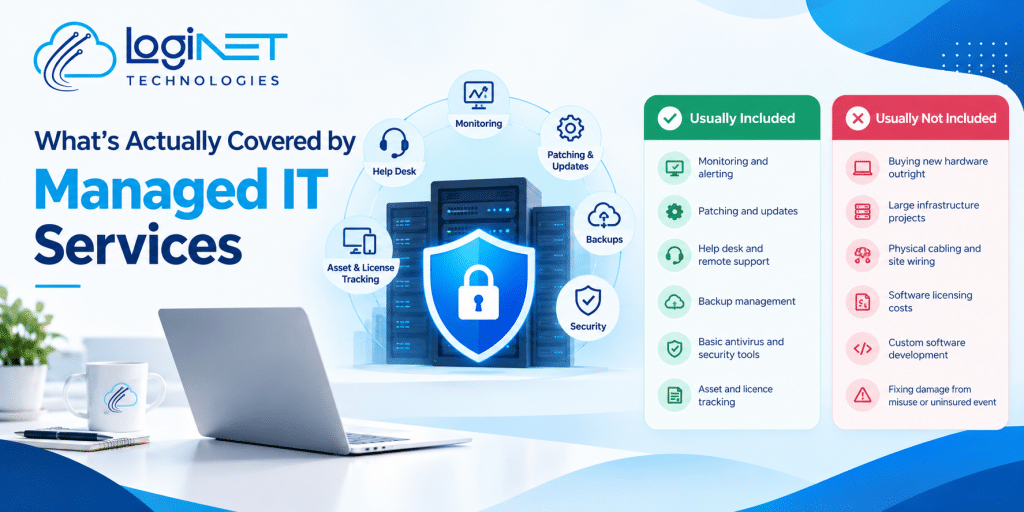
What’s Actually Covered by Managed IT Services
Managed IT services usually cover the day-to-day running of your systems: monitoring, patching, the help desk, backups and basic security. They usually don’t cover new hardware, big one-off projects, or problems outside the agreed scope. Read the schedule of services before you sign, because “managed IT” means slightly different things to different providers.
This article sets out what’s typically included, what usually sits outside it, and the questions worth asking before you commit. If you want to see how Loginet packages this, the managed IT services page has the detail.
What’s normally included
Think of it as everything needed to keep the lights on and the risk low, without you having to notice most of it. A typical agreement covers monitoring servers and networks around the clock, applying security patches and updates, running and testing backups, managing antivirus and basic security tools, and giving your staff somewhere to go when something breaks. That help desk function, handled through IT support or a dedicated help desk service depending on the provider, is usually the part staff notice most, even though it’s a small part of the total work.
Good managed IT services in Toowoomba, or managed IT support in Toowoomba more broadly, also include a degree of forward planning: asset tracking, licence renewals, and flagging when something’s approaching end of life before it fails. That’s the difference between managed IT services and just having someone on call. One is proactive, the other waits for a phone to ring.
| Usually included | Usually not included |
|---|---|
| Monitoring and alerting | Buying new hardware outright |
| Patching and updates | Large infrastructure projects |
| Help desk and remote support | Physical cabling and site wiring |
| Backup management | Software licensing costs themselves |
| Basic antivirus and security tools | Custom software development |
| Asset and licence tracking | Fixing damage from misuse or an uninsured event |
Why the proactive approach matters
The line between proactive vs reactive IT support explains a lot of the confusion around scope. Reactive support is what most people picture: something breaks, you call, someone fixes it. Managed services flip that around, aiming to catch and prevent problems before they interrupt anyone’s day. Patching a vulnerability before it’s exploited is proactive. Rebuilding a server after ransomware gets in is reactive, and it usually costs a lot more, in time if not always in dollars.
This matters for expectations. If your idea of managed IT is “call someone when it breaks,” a proactive agreement can feel like you’re paying for nothing, right up until the year it quietly prevented three outages you never had to think about.
What usually sits outside the agreement
This is where most disputes start, so it’s worth being blunt about it. IT infrastructure management services generally cover keeping existing infrastructure running, not replacing it. A server that’s genuinely reached end of life is a capital purchase, not a repair. Major projects, a full network redesign, a cloud migration, an office move, are typically quoted and billed separately, because they’re one-off work rather than ongoing management.
Software licensing costs themselves usually sit outside the fee too. Your provider manages the licences, but Microsoft, Adobe or your industry software still charge what they charge. And if damage comes from something the agreement doesn’t cover, deliberate misuse, a flood, an uninsured event, that’s generally a separate conversation, sometimes involving your insurer rather than your IT provider.
Flexible SLA IT services and what an SLA actually promises
An SLA is the document that turns “we’ll look after your IT” into something you can hold a provider to. It sets out response times, what counts as a priority issue, and what happens if targets are missed. A flexible arrangement simply means the response times and coverage hours can be adjusted to fit the business, a manufacturer running two shifts needs different cover to a nine-to-five office, rather than every client being forced into one fixed tier.
Business IT support plans vary in how granular this gets. Some providers offer one plan for everyone. Others tier plans by response time, hours of cover, or number of devices. Neither approach is wrong, but you should know which one you’re being offered, and what happens if you outgrow it.
How this compares by business size
A five-person office and a fifty-person operation don’t need the same thing, even under the same broad label. A small business often prefers fixed-fee IT support in Queensland, one predictable monthly number covering nearly everything day to day. A larger one is more likely to negotiate specific SLAs, separate the help desk from infrastructure management, and expect regular reporting on what’s actually happening under the hood. Neither is more “correct.” It comes down to how much oversight you want, and how much you’re prepared to leave to trust in the provider.
Questions worth asking before you sign
What exactly counts as a “project” versus routine work?
Ask for a plain-language definition, with an example or two. This is the single biggest source of surprise invoices, so get it in writing rather than assuming it matches what you pictured.
What happens if we grow past our current plan?
Ask how the agreement scales, more devices, more staff, another site, and whether that triggers a renegotiation or is already built into the pricing model.
Who owns the response time if something urgent happens after hours?
Get the actual hours of cover and response targets in writing, not just “we’re always available.” IT SLA Australia standards vary a lot between providers, so this is worth confirming rather than assuming.
Where to go from here
So in short: managed IT services cover the ongoing running and protection of what you already have, not new purchases or major projects, and the exact line depends on the agreement you sign. Which of these would surprise you most if it weren’t included?
If you’d like your current arrangement checked against what’s typical, or want to see what Loginet includes, get in touch and we’re happy to walk through it plainly.
