
Cloud Migration Services Australia: What to Expect Before You Move
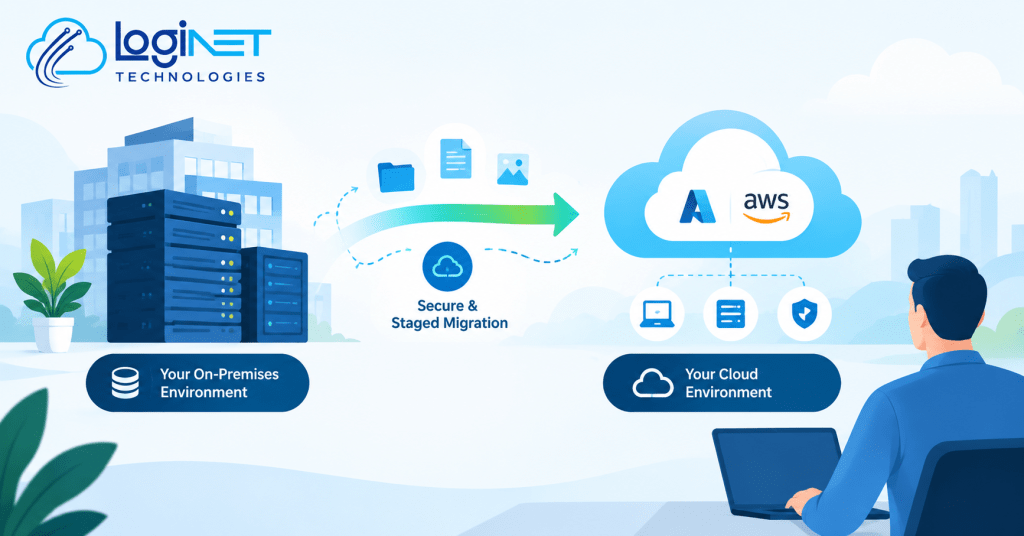
What should you actually expect during a cloud migration? It starts with a proper assessment of what you’re currently running, followed by moving applications and data across in stages rather than one single cutover night. Done properly, most businesses should plan around some disruption along the way, not expect a seamless overnight switch where nothing changes and nobody notices.
That expectation gap is where a lot of migration projects go sideways, not because the technology fails, but because the business went in expecting something closer to flipping a switch. Getting a clear picture upfront of what the process actually involves, and what happens on /cloud/ once it’s finished, makes the whole thing far less stressful when you’re in the middle of it.
Cloud Migration Toowoomba: What Actually Happens During the Assessment Phase
Before anything moves, a proper assessment maps out what you’re actually running today, servers, applications, how data flows between systems, and which of those systems depend on each other in ways that aren’t obvious from the outside. This is also where you find out which applications are straightforward to move and which ones are going to cause problems, older software with specific server requirements, custom integrations, licensing tied to physical hardware.
For a regional business, this phase often surfaces things that get overlooked in a generic migration plan, connectivity quality at your specific location, whether staff need offline access for parts of the day, or older systems that have been running quietly in the background for years without anyone fully documenting how they work. Skipping a proper assessment to save time is the single most common reason migrations run into trouble later, because problems that could have been planned for instead get discovered mid-project.
Why a Staged Migration Beats a Single Cutover for Most Businesses
A single cutover, moving everything in one weekend, sounds appealing because it’s over quickly, but it also means every risk lands at once. If something doesn’t work as expected, you’re troubleshooting a fully migrated environment under pressure, often with staff waiting to get back to work. A staged approach moves applications and data in a planned sequence, less critical systems first, allowing issues to surface and get resolved before the systems your business genuinely can’t function without are moved.
This is really a risk management decision more than a technical one. Cloud migration services Australia providers who push hard for a single big-bang cutover are usually optimising for their own project timeline rather than for how much disruption your business can actually absorb. A staged plan takes longer calendar-wise, but it gives you room to catch problems while the stakes are still low.
Common Surprises Partway Through a Migration
Even a well-planned migration tends to throw up a few things nobody anticipated. Custom software already in use is one of the most frequent, an older piece of software built years ago for a specific purpose, running fine on-premises, that behaves differently or needs modification once it’s moved to a cloud environment. This isn’t a reason to avoid migration, but it is a reason to identify that software early rather than discovering the problem halfway through.
Data volume and transfer time is another one that catches people out, moving terabytes of historical data takes real time, and bandwidth at the source location directly affects how long that takes. Staff workflow habits also shift more than expected, people who’ve used a certain file structure or shortcut for years sometimes need a bit of retraining once things move, which is a change management issue as much as a technical one. None of these are dealbreakers, but they’re the kind of thing worth asking about directly before the project starts rather than being surprised by them partway through.
What “Done” Looks Like Versus What’s Still Your Responsibility After
Migration providers generally consider the project “done” once data and applications are successfully running in the cloud and access has been verified. What often isn’t included by default is the ongoing side, monitoring costs (cloud spend can creep up without active management), keeping systems patched, and reviewing whether the setup is still right as the business changes. [CONFIRM WITH CLIENT: what Loginet specifically includes as part of migration versus what shifts to an ongoing management arrangement afterward].
This distinction matters because a business that treats “migrated” as the finish line can end up with an unmanaged cloud environment, which tends to be more expensive and less secure than a properly maintained one. Ongoing management is usually a separate, ongoing conversation from the migration project itself, worth having before the migration starts rather than after.
Where Azure and AWS Decisions Fit Into This
Choosing between Azure and AWS (or another provider) isn’t usually about one being objectively better, it’s about fit. Azure tends to integrate more naturally for businesses already running heavily on Microsoft 365 and Windows-based infrastructure, since a lot of the licensing and management tools overlap. AWS has a broader range of specialised services and is often the stronger fit for businesses with more custom or developer-driven technical needs.
For most small and mid-sized businesses, this decision comes down to what you’re already using and what your team is comfortable managing, rather than chasing whichever platform is trending. Getting a vCIO to guide the decision is a sensible step here, particularly if nobody internally has hands-on experience with both platforms, since the wrong choice is expensive to reverse once data and applications are already in place.
Getting a Realistic Quote Instead of a Rough Estimate
A rough estimate based on a quick conversation is not the same as a proper quote, and the gap between the two is usually where cost overruns come from. A realistic quote follows the assessment phase, not the other way around, because pricing a migration before understanding what’s actually being migrated is guesswork dressed up as a number.
When comparing quotes, it’s worth checking whether the price covers the full staged process or just the initial move, whether ongoing management afterward is included or separate, and what happens if the assessment uncovers something that changes scope.
FAQ
How much downtime should we expect during migration?
This depends heavily on what’s being migrated and how it’s staged, there’s no single figure that applies across different businesses and systems.
Do we need to migrate everything at once?
No, and for most businesses a staged approach is the more sensible path. Systems can be moved in a planned sequence based on priority and risk, rather than requiring a single all-at-once cutover.
What happens to our data during the transition?
Data is copied and verified at each stage of the migration rather than simply cut over in one step, with the original systems typically kept running until the new environment is confirmed to be working correctly. The specific handling process should be confirmed as part of your migration plan before the project starts.
Request a cloud readiness assessment.


