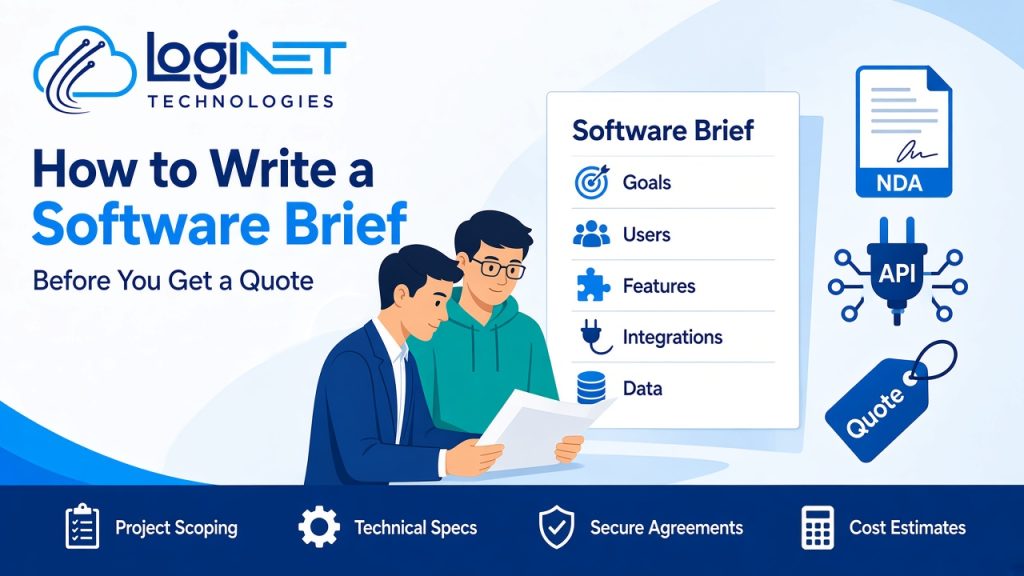
Short answer: A good software brief explains the business problem, who will use the software, the must-have features, the systems it needs to connect to, the data involved, security and compliance needs, and your timing and budget constraints. It doesn’t need to be technical. A clear two- to five-page brief helps developers give accurate, comparable quotes and cuts down rework later.
Businesses in Brisbane, on the Gold Coast and in Toowoomba often come to us with a great idea and a single paragraph describing it. That is a fine place to start, but it makes quotes guesswork. Two developers reading the same short description can picture very different products. This guide shows what to include so your quote reflects what you actually need.
If you’re still deciding whether to build at all, read custom software vs off-the-shelf first.
Why does a software brief matter?
A brief does three jobs:
- It gives you comparable quotes. Every developer prices the same scope.
- It reduces risk. Gaps and assumptions show up before anyone writes code, not halfway through the build.
- It aligns your team. Writing the brief forces you to agree on what success looks like.
It also shortens the discovery phase, because the developer can start with your thinking instead of a blank page.
1. What problem are you solving?
Start with the business problem, not the solution. Explain:
- What happens today, and what goes wrong (for example “jobs are tracked in three spreadsheets and details get lost between the office and the field”)
- Who is affected and how often
- What a good result looks like, in terms you can measure where possible, such as less re-keying, faster quotes or fewer errors
Developers can often suggest a simpler or cheaper solution when they understand the real problem.
2. Who will use it?
List each type of user and what they need to do:
| User type | Main tasks | Device |
|---|---|---|
| Office staff | Create jobs, invoice, report | Desktop |
| Field technicians | View jobs, update status, upload photos | Phone |
| Customers | Book, track progress, pay | Phone or desktop |
| Managers | Approve, view dashboards | Desktop or tablet |
Note roughly how many users of each type you expect, now and in a few years. That affects architecture and hosting.
3. What must the software do?
Write features as user stories or simple statements, then sort them:
- Must have: the product is useless without it
- Should have: important, but could come in a second release
- Nice to have: only if time and budget allow
For example: “A technician must be able to mark a job complete and attach photos, even with poor mobile reception.” Detail like “even with poor reception” changes the build (offline support), so include it.
A clear “must have” list also makes it possible to plan a minimum viable product (MVP): a first version that solves the core problem, which you can build on once it’s in use.
4. What does it need to connect to?
Integrations are one of the biggest drivers of effort. List every system the software should exchange data with, such as:
- Accounting software
- CRM or email marketing tools
- Microsoft 365 or Google Workspace (logins, calendars, files)
- Payment gateways
- Existing databases, spreadsheets or legacy systems
- Third-party APIs or industry platforms
For each, note which direction data flows and how often. If you’re not sure whether a system has an API, say so. The developer can check.
5. What data is involved?
- What data already exists, where it lives, and how clean it is
- Whether old data needs to be migrated
- Any personal or sensitive information, such as customer, health or financial data
- Reporting needs: which reports or dashboards people use to make decisions
6. What are the security and compliance requirements?
Security is far cheaper to design in than to add later. Include:
- Who should see what (roles and permissions)
- Login requirements, such as single sign-on with Microsoft 365 or multi-factor authentication
- Where data should be stored, for example in Australia
- Any industry rules or customer contract terms you must meet
- Whether you expect a penetration test before launch
Because Loginet has in-house penetration testing alongside our developers, we can plan security testing into a project from the start.
7. What are the constraints?
- Timing: any fixed deadline and why (a contract, a season, a funding round)
- Budget: a range, even a rough one, lets developers propose options that fit instead of guessing
- Technology: any preferred or required platforms, such as a cloud provider your business already uses
- Ownership: your expectations about owning the source code and intellectual property
- Support: who will look after the software after launch
Sharing a budget range is not a weakness in negotiation. It helps a good developer tell you what’s realistic for that money and what to leave for later.
8. What should you attach?
- Screenshots of current spreadsheets, forms or systems
- Sketches or examples of apps you like (and why)
- Process maps, even hand-drawn ones
- Sample reports or documents the software must produce
A simple software brief template
- Background and the problem
- Goals and how success will be measured
- Users and their main tasks
- Features: must, should, nice to have
- Integrations
- Data and reporting
- Security and compliance
- Constraints: time, budget, technology, ownership
- Support after launch
- Attachments
What happens after you send the brief?
At Loginet, we sign an NDA before scoping, then our in-house development team reviews the brief and asks follow-up questions. For larger or less certain projects, we may recommend a feasibility study or a short discovery phase to confirm scope, technical approach and risks before a fixed quote. You can see how we run projects in our development process and in what happens in an agile software development process.
Our team of 20+ IT experts, with access to a pool of 50+ IT resources worldwide, covers software, cloud, security and infrastructure. That helps when your software needs to sit alongside your wider IT environment.
Frequently asked questions
How long should a software brief be?
Two to five pages is enough for most projects. Clarity matters more than length. Focus on the problem, users, features and integrations.
Do I need technical knowledge to write a brief?
No. Describe your business process and what you need in plain language. A good developer will translate that into technical requirements.
Should I include a budget in my software brief?
Yes, even a range. It helps developers suggest an approach that fits, instead of quoting for a solution you can’t afford.
What is the difference between a brief and a specification?
A brief explains what you need and why. A specification, usually written during discovery, details exactly how the software will work.
Can you sign an NDA before we share our idea?
Yes. Loginet signs an NDA before scoping, so you can share sensitive details about your idea, processes and data with confidence.
What if I’m not sure what features I need?
That’s common. Describe the problem and the users, and a discovery session or feasibility study can help define the features.
Ready to share your idea?
Have a brief, or just an idea that needs shaping? Book a free 30-minute strategy call and we’ll help you turn it into a clear scope. Learn more about our custom software development services.