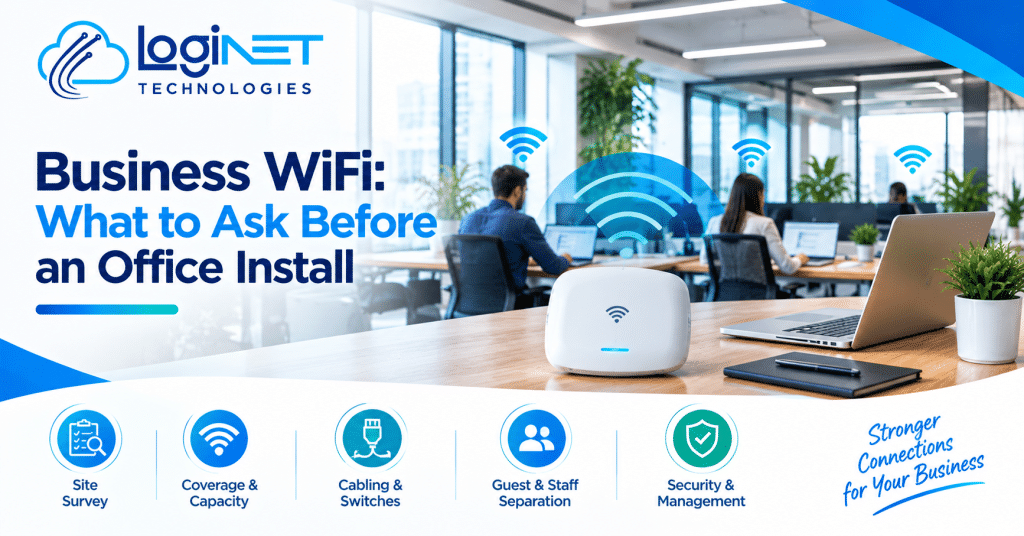
Business WiFi: What to Ask Before an Office Install
Before anyone buys an access point, get a proper WiFi site survey done where the network will actually run. Coverage, capacity and cabling all depend on what it finds. Guessing from a floor plan is how offices end up with dead corners.
A good business WiFi installation starts with questions, and not all of them are yours to answer. The installer should be asking you plenty. If a quote lands after one phone call and no questions about the building, that tells you something. Below is what they should be asking, and what you should be asking back.
Why does a site survey matter more than the number of access points?
The count is an output, not an input. A survey measures how signal behaves inside your actual building, and the number of access points falls out of that. Quoting a number first is backwards.
Two offices with the same floor area can need very different office WiFi setup designs. One’s an open-plan space with a few partitions. The other has a server cupboard, a kitchen full of metal and a boardroom at the far end. Same size, completely different problem.
An on-site survey means someone walks the space with test gear, checks how far signal really travels and looks for interference from neighbouring tenancies. If your fit-out isn’t built yet, a desktop estimate from the plans is a fair starting point. Just ask when it gets checked against the real walls. That’s the stage our WiFi and wireless solutions work begins with, and it’s worth asking any provider the same thing.
How do building materials, layout and device numbers change the design?
Concrete, brick, glass and metal all weaken signal, and every phone, laptop and printer competes for the same airtime. The design has to cover the space and the crowd.
Plasterboard barely gets in the way. Reinforced concrete, lift shafts, fire-rated doors, foil-backed insulation and glass partitions are another story. A good installer will have looked at yours.
Layout matters just as much. A reception area, a meeting room running video calls all day and a quiet back office don’t need the same thing. WiFi coverage that reaches every corner is only half the job if twelve people in one room are all fighting over a single access point.
Count devices, not people. Staff carry a laptop and a phone, sometimes a tablet too. Then add printers, screens, door readers and cameras. The device list is usually a good deal longer than the headcount, and it grows. Tell the installer where you expect to be in two or three years, not just today.
Whether a newer WiFi standard is worth paying for depends on what your staff actually carry
Why should guest and staff WiFi be kept apart?
Visitors shouldn’t be anywhere near your file server, printers or finance systems. Separate networks keep guests online without handing them a path into anything that matters.
Clients, contractors, the person delivering lunch. They all ask for the password eventually. A guest network keeps their devices, which you know nothing about, away from yours.
Here’s the catch. A second network name on its own isn’t separation. Ask how the traffic is actually kept apart, which is the job of network segmentation, set up through the switches and firewall. It’s also worth asking whether guests can be speed-limited, so one person streaming video in reception doesn’t slow the whole office. And office devices like printers and cameras often deserve their own group too.
What has to sit behind the WiFi: cabling and switches?
Every access point needs a wired connection back to the network, and that cable and switch set the ceiling on performance. Fast radios on tired cabling is wasted money.
Most ceiling-mounted access points get their power through the network cable. That’s where PoE switches come in. Ask whether the switch has enough power budget for every access point, plus anything else drawing from it, like desk phones or cameras. Easy to miss, and a headache once the ceiling’s closed.
Then there’s cable quality and distance. Older buildings often have cabling of unknown age and condition, so ask if it’ll be tested or replaced. In a new fit-out, running cable before the ceilings go up is usually far easier than retrofitting. Also check the connection out to the internet. The best WiFi in the world can’t make a slow link faster.
If the switching or cabling looks dated, it’s worth looking at the wider network rather than patching the wireless layer alone. Our network solutions page explains how that side gets handled.
Who looks after it once it’s installed?
Someone has to own firmware updates, monitoring and fault-finding after install day. Ask who that is, what they can see remotely and how quickly they respond, before signing anything.
There are really three paths. You look after it in-house, the installer is on call when something breaks, or you take a managed WiFi arrangement where the provider monitors and updates it for an ongoing fee. A business with no IT person often finds the third easier to live with. One with a capable internal team might not need it.
Whichever you pick, make sure you hold the admin logins, not just the installer. Ask for a simple record too: where each access point sits, what it’s called and how the network’s laid out. You’ll be glad of it in three years.
When is consumer-grade equipment a false saving?
Home gear is fine for a very small, quiet space with few devices. Once you’ve got staff, video calls and visitors, the missing controls and capacity usually cost more than you saved.
Consumer equipment tends to lack central management, proper separation between networks, useful logs and the ability to cope when lots of devices connect at once. It also gets replaced sooner. You buy it cheap, hit its limits and buy again, this time with the installation bill on top.
What does this mean for your business?
You don’t need to understand the technology. You need to know what to ask. If you can get clear answers to these, you’re most of the way there:
- Will you survey on site?
- How are guest and staff traffic kept apart, and can guest speed be limited?
- Does the switch have the power budget for every access point, and is the existing cabling being tested or replaced?
- Who holds the admin logins, and who monitors the network after install?
A provider who answers plainly is usually worth talking to. Vague answers are information too.
What are the common mistakes?
The big one is buying hardware before the survey. It feels efficient. Then the complaints start and the savings disappear in rework.
The second is treating WiFi as the whole project. The access points go in, and only then does someone notice the switch can’t power them or the cabling can’t handle the load. Sorted early, that’s a line on the quote. Sorted late, it’s a second visit.
Quick questions
How many access points does an office need?
There’s no honest number without a survey. It depends on layout, wall materials and how many devices connect at once, not floor area alone.
Is a mesh system enough for an office?
Sometimes, for a small, low-demand space. Mesh units often link to each other wirelessly, which can cut capacity, and consumer versions usually lack the controls an office needs. Wired access points are generally the safer choice once several people are on calls at the same time.
Planning a move, a fit-out or a WiFi replacement?
If you’d like a second pair of eyes on the questions above, or just want to talk it through before you commit to anything, get in touch with the team at Loginet. No pressure. A conversation is a perfectly good place to start.