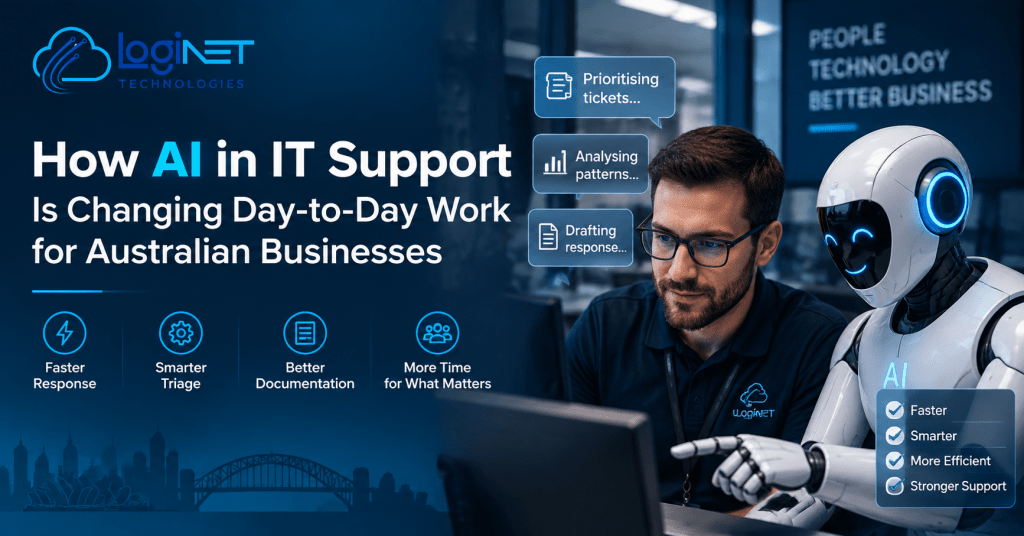
How AI in IT Support Is Changing Day-to-Day Work for Australian Businesses
Right now, AI in IT support for Australian businesses is mostly changing things you never see. It sorts and prioritises tickets faster, spots patterns in monitoring data that a human might take hours to notice, and drafts a first response before a technician has finished reading the request. What it is not doing, despite what a lot of marketing suggests, is replacing the person who actually diagnoses the problem and decides what to do about it.
That distinction matters if you’re evaluating providers. A provider using AI well should be faster and more consistent, not cheaper because they’ve removed humans from the process. If you’re being sold the second thing, ask harder questions.
This is a view from the inside of how we work rather than a general commentary, so it’s worth saying up front that the team behind Loginet has taken a deliberately conservative position on this. Some of what follows will sound less exciting than what you’ll read elsewhere. That’s intentional.
Where AI is genuinely useful in IT support today
The clearest wins are in the unglamorous middle of the workflow.
Triage and routing. When twenty tickets come in over a morning, something has to decide which ones are a password reset and which one is the early sign of a failing mailbox database. AI is reasonably good at reading the text of a request and sorting it, which means the urgent things surface faster instead of waiting in a queue behind the trivial ones.
Pattern recognition in monitoring data. Modern environments generate an enormous volume of logs and alerts, most of it noise. The useful role for AI here isn’t finding the problem for you, it’s narrowing where a human should look. A technician who starts an investigation with three likely candidates instead of three hundred log entries gets to an answer considerably faster.
First-draft documentation and responses. Writing up what was done, why, and what the client should know next is genuinely time-consuming, and it’s the part that gets skipped when things are busy. Having a draft to edit rather than a blank page means documentation actually gets written. That has a real downstream effect, because undocumented fixes are how institutional knowledge ends up trapped in one person’s head.
Knowledge base search. Finding the right internal article for a recurring issue used to depend on someone remembering it existed. Semantic search over an existing knowledge base is a modest improvement that compounds quietly.
None of these are dramatic. Together, they shave time off the parts of support that were never the hard part, which frees up attention for the parts that are.
Where it isn’t ready to be trusted unsupervised
This is where a lot of providers are getting ahead of themselves.
AI systems are confidently wrong in ways that are difficult to detect if you aren’t already an expert in the subject. In a support context, that means a plausible-sounding but incorrect remediation step, delivered with exactly the same tone as a correct one. A technician catches that. An automated pipeline with no review step does not.
Anything involving change to a production environment sits firmly in the supervised category. So does anything touching security posture, access control, or backup configuration. The ASD’s Australian Cyber Security Centre makes a similar point in its guidance on using AI securely, noting that organisations need to understand the constraints of the AI systems they use and apply the same security controls to them as they would to anything else in the environment, starting with the Essential Eight framework.
There’s also a quieter problem: an AI-drafted response that’s 90% right still requires a human to know which 10% is wrong. If the person reviewing it lacks the experience to spot that, the automation hasn’t saved time, it has moved the risk somewhere less visible.
What this means for response times and service quality
Realistically, you should expect faster acknowledgement and faster triage, not faster resolution of complex problems.
That’s a meaningful improvement, but it’s narrower than it sounds. If your server is down at 4pm on a Friday, the constraint isn’t how quickly someone reads the ticket, it’s whether an experienced engineer is available and how quickly they can work out what’s actually broken. AI doesn’t change that. What it changes is everything queued behind that engineer, which does get handled more efficiently.
Service quality is the more interesting question. Consistency tends to improve, because automated triage doesn’t have a bad morning or miss a pattern because it’s the third similar ticket that week. Depth of judgement doesn’t improve at all. Whether that trade nets out positively depends almost entirely on whether the provider kept the human review step in place.
AI IT support Australia: the risk of over-promising
There’s a particular kind of proposal circulating at the moment that lists AI capabilities as a reason the service costs less. Treat that with some scepticism.
Where the use of AI in IT support genuinely reduces cost is at the volume end, high-frequency low-complexity tickets. That’s real, but it’s also the cheapest part of the service to deliver in the first place. The expensive part is experienced people making judgement calls, and nothing currently available replaces that. A provider claiming otherwise is either automating something they shouldn’t be, or quietly reducing the seniority of who handles your account.
The other over-promise worth watching for is vagueness. “AI-powered” appears on a lot of websites without any description of what it actually does. If a provider can’t tell you which specific step in their workflow uses AI, what happens when it gets something wrong, and who reviews the output, then the claim isn’t doing any real work. It’s positioning.
This is the same evaluation logic that applies to any technology decision, which is why it belongs in a broader strategic conversation rather than a feature comparison. Our consulting approach treats tooling questions this way generally, starting from what the business needs rather than what’s newly available.
How Loginet approaches this in practice
What can be said without qualification is the principle: automation handles sorting and drafting, people handle diagnosis and decisions. That’s the shape AI in IT support for Australian businesses is actually taking right now, not the full-automation version some providers are marketing. Where a client has their own internal IT staff, that division tends to be even more explicit, because a co-managed arrangement depends on both sides knowing exactly which parts of the workflow are automated and which aren’t. Ambiguity there creates duplicated work at best.
What to ask a provider that claims to use AI
Five questions tend to separate substance from marketing.
Which specific steps in your support process use AI, and which don’t? Who reviews AI-generated output before it reaches a client, and is that mandatory or discretionary? Does our data get entered into any third-party AI tool, and what do that tool’s terms say about training? What happens when the AI gets something wrong, is there a documented escalation path? And has your pricing changed because of AI, and if so, what changed in the service to justify it?
A provider who answers these plainly is probably using AI sensibly. A provider who answers with capability language rather than process detail is probably not using it much at all.
Frequently asked questions
Does using AI tools mean our data is being used to train someone else’s model?
It depends entirely on the product and its terms, which is why this needs to be asked specifically rather than assumed. The Office of the Australian Information Commissioner has published guidance on this for Australian businesses, and its position is fairly direct: organisations should avoid entering personal information, particularly sensitive information, into publicly available generative AI tools, and should review a product’s terms carefully to confirm they don’t permit the provider to use your inputs to train their own technologies. Ask your provider to show you the terms, not just describe them.
Will AI reduce how much we pay for IT support?
Probably not much, and be cautious if a provider says it will. The savings are concentrated in high-volume simple tickets, which was never where your money was going. If a quote drops significantly and AI is the stated reason, ask what else changed.
Is an “AI-powered helpdesk” actually better than a human one?
Better at speed and consistency on routine requests. Not better at anything requiring judgement, context about your specific environment, or a decision with consequences. The useful setup is both, with clear boundaries between them, rather than one replacing the other.
Talk to Loginet about how we actually use technology in our own support delivery.