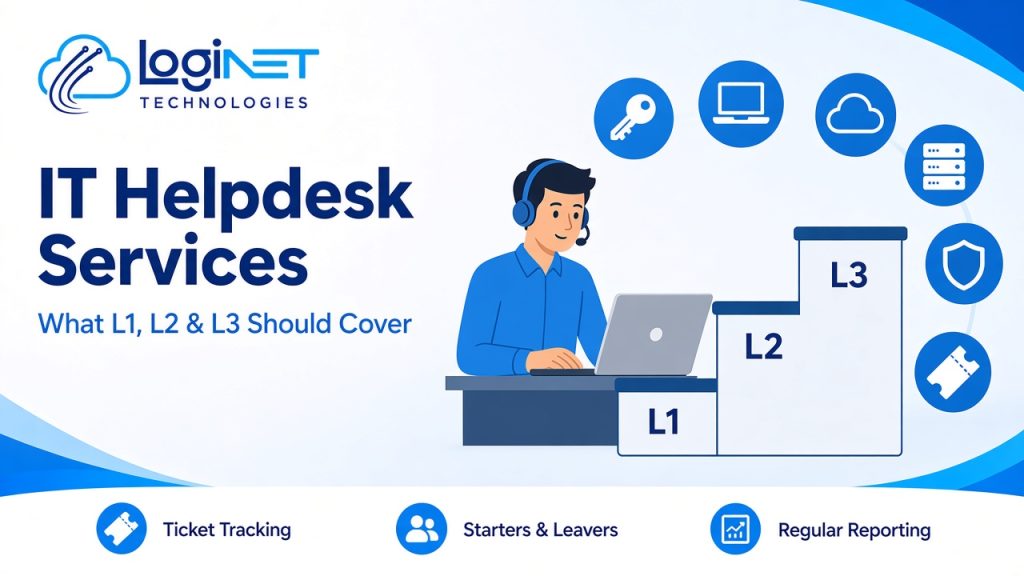
Short answer: A good IT helpdesk service for a small business should cover three levels. L1 handles everyday requests such as password and MFA resets, access and basic software problems. L2 handles deeper device, account and application troubleshooting. L3 handles complex network, server, cloud and security issues. The helpdesk agreement should list which tasks sit at each level, so nothing falls between them.
Most helpdesk quotes say “multi-tier support” and stop there. That tells you very little. The real question is which of your everyday problems each level will actually fix, and what happens when a request doesn’t fit neatly. This guide is a checklist you can use to compare providers or check your current one. If you want the background on how tiers work and why tickets get escalated, start with what L1, L2 and L3 support actually mean.
What L1 should cover
L1 is first contact. For a small business, it should resolve the requests that make up most of a normal week without passing them on.
- Password resets and account unlocks
- MFA resets and re-registering a new phone
- Access requests to shared mailboxes, folders and Teams channels (with approval from the right person)
- “How do I…” questions about Microsoft 365, email and common apps
- Printer, scanner and peripheral problems that a standard fix solves
- Basic software installs from an approved list
- Logging, categorising and prioritising every request, including the ones L1 can’t fix
Check: ask whether L1 staff can actually make these changes, or only log them. An L1 team that has to escalate every password reset isn’t saving you time.
What L2 should cover
L2 takes the problems that need more access, more time or more diagnosis.
- Laptop and desktop faults that don’t clear with a restart or standard fix
- Device setup, imaging and configuration for new or replacement machines
- Starters and leavers: creating and removing accounts, licences, devices and access
- Microsoft 365 issues such as mailbox, OneDrive and SharePoint permission problems
- Line-of-business application problems, working with the software vendor where needed
- Remote access and VPN issues for staff working from home
- Recurring issues that L1 keeps seeing, so they get a permanent fix
Check: ask who owns onboarding and offboarding. Leavers with live accounts are a common security gap, so this should be a defined task with a checklist, not an ad hoc request.
What L3 should cover
L3 is senior engineering. Most small businesses don’t need it every day, but they need to know it’s there when something serious goes wrong.
- Network, firewall and Wi-Fi faults
- Server, storage and virtualisation problems
- Cloud platform issues in Microsoft 365, Azure or AWS
- Security alerts, suspected compromise and incident response
- Backup failures and data restores
- Root-cause fixes for problems that keep coming back
- Changes that need planning, such as a firewall rule change or a migration step
Check: ask whether L3 engineers are part of the same team that knows your environment, or a separate contractor you’ll have to brief from scratch.
L1, L2 and L3 at a glance
| Request | Typical level | Why |
|---|---|---|
| Forgotten password or locked account | L1 | Standard, scripted fix |
| New phone needs MFA set up again | L1 | Standard fix with identity checks |
| Laptop won’t boot after an update | L2 | Needs diagnosis and possibly a rebuild |
| New starter needs an account, licence and laptop | L2 | Several systems and a checklist |
| Staff can’t reach shared files from home | L2, then L3 if network-related | Starts as an access issue, may be a VPN or firewall fault |
| Suspicious sign-in alert on a mailbox | L3 | Possible compromise, needs security response |
| Office internet or Wi-Fi down | L3 | Network and provider fault-finding |
| File deleted and needed back from backup | L2 or L3 | Depends on where the backup lives |
What to put in the helpdesk agreement
Before you sign up for IT helpdesk services, make sure the agreement covers these points in writing:
- Scope by level. A list like the one above, matched to your systems.
- How staff log requests. Email, a support portal or phone, and what details they should include.
- Priorities. How urgent and routine requests are defined, and how each is handled.
- Escalation path. Who decides when a ticket moves from L1 to L2 to L3, and how you’re kept informed.
- Starters and leavers. Who requests them, who approves them and how quickly they’re done.
- What’s out of scope. For example, projects, new hardware or third-party software the provider doesn’t support.
- Reporting. Ticket volumes, categories, resolution times and recurring issues, reviewed regularly.
Signs your current helpdesk isn’t covering the right things
- Simple requests take as long as complex ones
- Staff go back to asking a “tech-savvy” colleague instead of logging a ticket
- The same problem keeps returning with a fresh ticket each time
- Nobody is sure whether leavers’ accounts were switched off
- You never see a report of what the helpdesk actually did
Why Loginet for IT helpdesk services?
Loginet has been supporting Queensland small and medium businesses for more than four years, with a team of 20+ IT experts. Our staff hold certifications across AWS, Microsoft, Cisco, Palo Alto, Fortinet and CEH, so L3 issues are handled by engineers with the right skills rather than passed to an outside contractor. Every request is logged and tracked, starters and leavers are handled as defined tasks, and you get regular reporting. We provide 24/7 threat monitoring and work from our Toowoomba head office and Gold Coast office in Bundall, with remote support across Queensland and Australia and on-site support across Queensland. See our IT helpdesk services for more detail.
Frequently asked questions
What do IT helpdesk services include?
IT helpdesk services give your staff one place to log IT requests. Each request is tracked and resolved at L1, L2 or L3 depending on how complex it is. Most services also include starters and leavers, device setup and regular reporting.
What is the difference between L1, L2 and L3 helpdesk support?
L1 handles everyday requests such as password resets and access. L2 handles deeper device, account and application problems. L3 handles complex network, server, cloud and security issues that need senior engineers.
Does a small business need all three levels?
Yes, but not in equal amounts. Most requests are L1 and L2. L3 is used less often, but you need it available for network outages, security alerts and serious faults.
Who should handle new starters and leavers?
Your helpdesk should handle the technical side, such as accounts, licences, devices and access, once someone in your business approves the request. Agree the process in writing so leavers’ access is always removed.
Can an IT helpdesk work alongside our in-house IT person?
Yes. Many businesses use an outsourced helpdesk for L1 overflow and leave cover while their IT person focuses on projects. See our guide to co-managed IT: who does what.
Do you provide IT helpdesk services outside Toowoomba and the Gold Coast?
Yes. We support businesses across Queensland and Australia remotely, with on-site support across Queensland when needed.
Get a helpdesk that covers the right things
If you’re not sure what your current helpdesk covers, a quick review will show the gaps. Book a free 30-minute strategy call to talk through your requests and how they’d be handled. See our IT helpdesk services for more detail.