Short answer: Co-managed IT is an arrangement where an external IT provider works alongside your in-house IT person or team instead of replacing them. Your staff keep ownership of business applications, users and local priorities. The provider takes on agreed tasks such as 24/7 monitoring, patching, security tooling, helpdesk overflow, escalation and project work. A written responsibility matrix sets out who does what.
Most small and medium businesses with one or two IT staff don’t have a skills problem. They have a capacity problem. One person can’t watch alerts around the clock, keep up with security, answer every ticket and still deliver projects. Co-managed IT fixes that, but only if both sides are clear about who owns each task. This guide gives you a starting split you can adapt.
Co-managed IT vs fully managed IT
| Co-managed IT | Fully managed IT | |
|---|---|---|
| Who runs IT day to day | Your IT person or team, with provider support | The provider |
| Who sets priorities | Your internal IT lead | Agreed with the provider through reviews |
| Best for | Businesses that already employ IT staff | Businesses with no in-house IT |
| What the provider adds | Capacity, specialist skills, monitoring and tools | The whole IT function |
| Control | Stays with your team | Shared through the service agreement |
Choose co-managed IT if you already have someone in-house who knows your systems and you want to give them more hours, more depth and better tools. Choose fully managed IT if nobody in the business is responsible for IT, or your IT person is leaving and you don’t plan to replace them. Our guide to co-managed vs fully outsourced IT covers that decision in more detail.
Not the same as Intune co-management. In Microsoft’s tools, “co-management” means managing Windows devices with both Configuration Manager and Intune. That’s a technical setting. Co-managed IT services, as used here, is a way of sharing IT work between two teams.
Who does what: a starting responsibility matrix
The table below is a typical starting point, not a fixed rule. Every arrangement is agreed with your team before work begins.
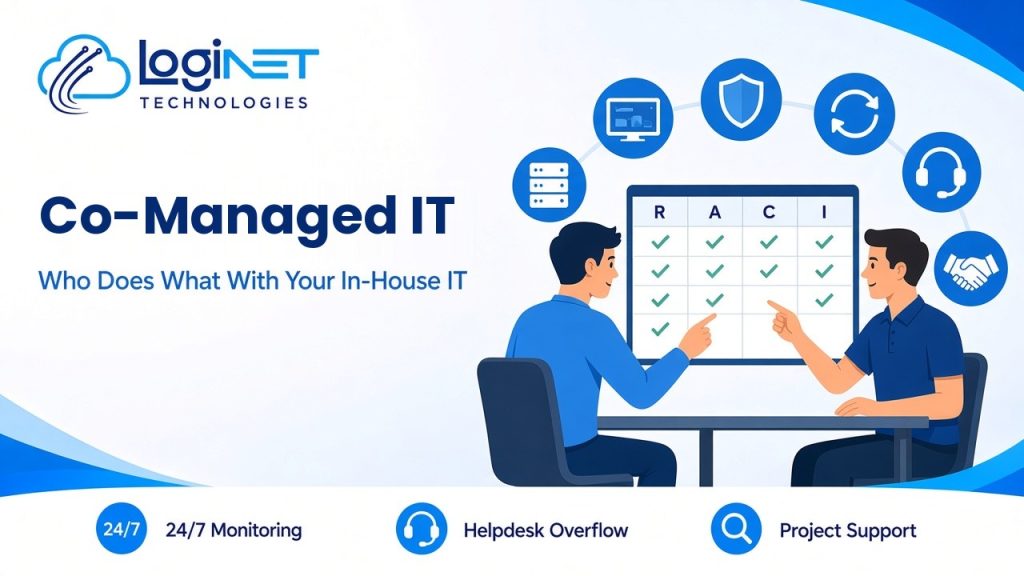
Key: R = does the work. A = accountable and signs off. C = consulted. I = kept informed.
| Area | Your in-house IT | Loginet |
|---|---|---|
| IT strategy and budget | A / R | C |
| Business applications and line-of-business software | A / R | C |
| User onboarding and offboarding | A / R | C (helps during busy periods) |
| First-line helpdesk requests | A / R | R (overflow and leave cover) |
| Escalated technical issues | A | R |
| 24/7 monitoring of servers, devices and key systems | I | R |
| Patching of operating systems and common applications | A | R |
| Endpoint protection, email security and firewall policies | A (approves changes) | R |
| Backup monitoring and restore testing | A | R |
| Microsoft 365 or Google Workspace administration | A / R | C / R (as agreed) |
| Network, Wi-Fi and firewall changes | A | R |
| Projects (migrations, rollouts, upgrades) | A | R (extra hands) |
| Vendor and telco calls | C | R |
| Documentation and system records | R | R (shared) |
| Security incident response | A | R |
A few rules make the split work:
- One owner per task. If two teams both “sort of” own something, it gets missed.
- Your team approves changes. We make security and network changes with your team’s approval, so nothing happens behind your back.
- Shared tools. Both teams see the same tickets, alerts and documentation.
- Review the split. Check it every quarter and whenever the business changes, such as a new site, more staff or a key person leaving.
How a request moves between the two teams
- A user logs a request through the shared helpdesk.
- Your IT person picks up anything involving business apps or local priorities.
- Routine requests go to the Loginet helpdesk when your team is busy or on leave.
- Anything beyond day-to-day skills, such as a firewall issue, a cloud problem or a security alert, escalates to our senior engineers.
- The ticket is closed and the fix is documented, so both teams learn from it.
For how support tiers work, see what L1, L2 and L3 support actually mean.
Signs the split needs changing
- Alerts or patching keep falling between the cracks
- Your IT person is still the only one who can fix certain systems
- Projects stall because support work always comes first
- The same issue gets escalated over and over without a permanent fix
- Nobody can say who owns a task when something goes wrong
Any of these is a cue to revisit the responsibility matrix.
How to set up co-managed IT
- List what your IT person does now, with rough hours, so you can see where the pressure is.
- Decide what they should keep, usually the work that needs business knowledge.
- Agree the provider’s tasks using a matrix like the one above.
- Set up shared access: monitoring, ticketing, documentation and admin accounts with proper controls.
- Agree escalation and communication: who contacts whom, and how urgent issues are handled.
- Review after 30 days, then every quarter.
Why Loginet for co-managed IT?
Loginet has been supporting Queensland small and medium businesses for more than four years, with a team of 20+ IT experts. Our staff hold certifications across AWS, Microsoft, Cisco, Palo Alto, Fortinet and CEH, so your IT person has specialists to call on for networks, cloud, Microsoft 365 and security. We provide 24/7 threat monitoring and work from our Toowoomba head office and Gold Coast office in Bundall, with remote support across Queensland and Australia and on-site support across Queensland. Find out more about our co-managed IT services.
Frequently asked questions
What are co-managed IT services?
Co-managed IT services are an arrangement where an external IT provider works alongside your in-house IT staff, sharing the workload instead of replacing them. Your team keeps control and the provider adds capacity, specialist skills and tools.
What is the difference between managed IT and co-managed IT?
With managed IT, the provider runs your whole IT function. With co-managed IT, your in-house IT person or team stays in charge and the provider handles agreed tasks such as monitoring, patching, security and escalation.
Will co-managed IT replace our IT person?
No. Co-managed IT is designed to support your IT person, not replace them. They keep the work that needs business knowledge and get time back for projects.
Who decides who does what?
Your team and the provider agree it together before work starts, and record it in a written responsibility matrix. Review it every quarter.
Do we keep admin access to our systems?
Yes. In a co-managed arrangement both teams have access, with proper controls, and your team approves changes.
Is co-managed IT available for businesses in Brisbane?
Yes. We support Brisbane businesses remotely, with on-site visits from our Toowoomba and Gold Coast teams when needed.
Give your IT person backup
If your IT person is stretched, a clear split of work is the quickest fix. Book a free 30-minute strategy call to talk through what they do now and what we could take on. See our co-managed IT services for more detail.