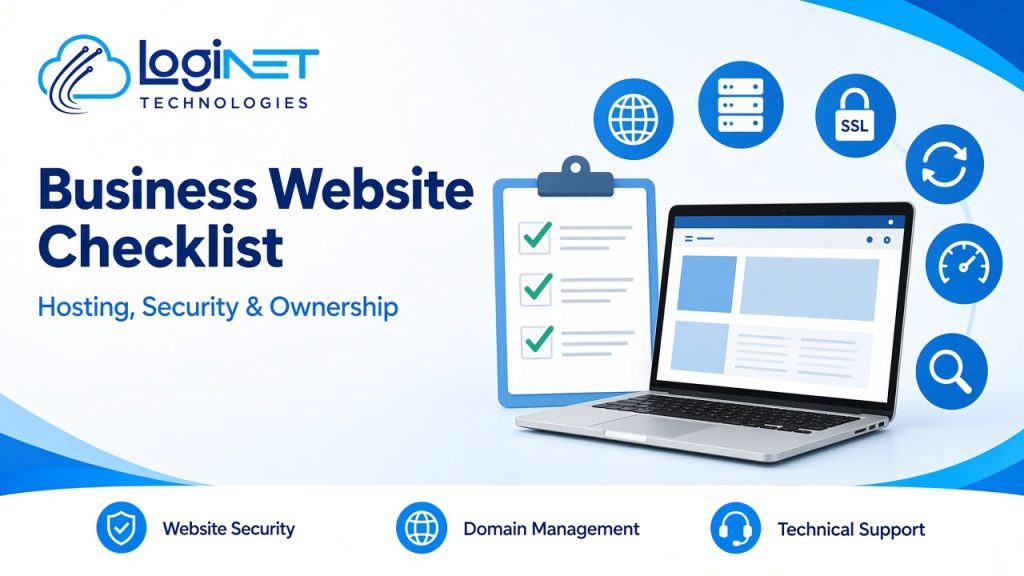
Short answer: A business website should run on a domain and hosting account in your business’s name. It needs current software, SSL, regular off-site backups and limited admin access. It should load quickly on mobile, be easy to use and be set up so search engines can find it. Most importantly, you should know who is responsible for each of those things. Use the checklist below to review your current site or brief a new build.
Many Toowoomba, Gold Coast and Brisbane businesses we speak with don’t know where their website is hosted or who holds the domain login. Often the person who built the site has moved on. That’s fine until the site goes down, gets hacked or needs a change. A one-hour review against this checklist can save a lot of stress later.
1. Do you own your domain and hosting?
Ownership is the first thing to check, because everything else depends on it.
- ☐ The domain (for example yourbusiness.com.au) is registered to your business, not to a former staff member or developer
- ☐ You know the registrar and have the login stored safely, ideally in a business password manager
- ☐ The domain’s renewal date and auto-renew settings are known
- ☐ The hosting account is in your business’s name, or your contract clearly gives you access to it
- ☐ DNS is managed in an account you control
- ☐ You have admin access to the website’s CMS
For .com.au domains, the registrant must meet Australian eligibility rules, so check that the ABN or business details on the record are correct.
2. Is the hosting right for the site?
Cheap shared hosting suits small brochure sites. Sites that take bookings, payments or logins usually need more.
- ☐ The hosting plan suits your traffic and functions
- ☐ Servers are kept patched by the host or your IT provider
- ☐ There is a staging copy of the site for testing changes before they go live
- ☐ You know where the site’s data is stored, if data location matters to you or your customers
- ☐ Uptime is monitored, and someone is alerted if the site goes down
If your site runs on cloud infrastructure, our cloud solutions team can manage it alongside your other systems.
3. Is the website secure?
Websites are a common entry point for attackers, especially when plugins and themes are out of date.
- ☐ SSL is active and every page loads over HTTPS
- ☐ The CMS, theme and plugins are updated regularly, and unused plugins are removed
- ☐ Admin accounts are limited to the people who need them, each with their own login
- ☐ Multi-factor authentication (MFA) is turned on for admin and hosting logins
- ☐ Forms are protected against spam and bots
- ☐ A web application firewall or similar protection is in place
- ☐ Someone checks security alerts and acts on them
Your website and your email share the same domain, so check your email authentication as well. Our guide to SPF, DKIM and DMARC explains how, and our email security service covers the rest.
4. Can you recover the site if something goes wrong?
- ☐ The full site (files and database) is backed up automatically
- ☐ Backups are stored off the hosting server
- ☐ At least one backup is kept for several weeks, not just the last night
- ☐ Someone has tested a restore recently
- ☐ You know who to call, and how quickly they can respond, if the site goes down
5. Is the site fast and easy to use?
- ☐ Pages load quickly on a mobile connection
- ☐ Images are compressed and sized correctly
- ☐ Caching is set up
- ☐ Core Web Vitals in Google Search Console are in the “good” range, or there is a plan to fix them
- ☐ The layout works on phones, tablets and desktops
- ☐ Contact details, calls to action and forms are easy to find
- ☐ Basic accessibility is in place: alt text, readable contrast, keyboard navigation and clear headings
6. Can search engines find and understand it?
- ☐ The site is verified in Google Search Console
- ☐ An XML sitemap is submitted
- ☐ Each page has a unique title and meta description
- ☐ Important pages aren’t blocked by robots.txt or “noindex”
- ☐ Old URLs redirect (301) to their new versions after any rebuild
- ☐ Structured data is valid, with one schema type per purpose and no duplicates
- ☐ Your Google Business Profile links to the right page
7. Is analytics and privacy set up properly?
- ☐ Analytics (such as Google Analytics 4) is installed and tracking enquiries
- ☐ The privacy policy is current and explains what the site collects
- ☐ Form submissions go to a monitored inbox or CRM, not to a former employee
- ☐ Personal information collected through forms is stored and handled securely
8. Is it clear who looks after what?
This is the item most often missed. Write down who is responsible for each area:
| Area | Who is responsible? |
|---|---|
| Domain and DNS | |
| Hosting and server patching | |
| CMS, theme and plugin updates | |
| Backups and restore testing | |
| Security monitoring | |
| Content updates | |
| SEO and analytics | |
| Email linked to the domain |
If several boxes say “not sure”, the site is at risk. One partner covering the website, hosting and IT removes the gaps between suppliers.
When is it time for a rebuild?
A checklist review often shows whether a site can be fixed or should be replaced. A rebuild is usually worth considering when:
- The CMS or theme is no longer supported
- Simple changes need a developer every time
- The site is slow and fixes haven’t helped
- It doesn’t work well on mobile
- You need functions the current platform can’t support, such as bookings, a portal or integrations
If you’re weighing up a rebuild, our guide to website design vs website development explains what each part of a quote covers.
How Loginet helps
Loginet’s in-house development team builds and maintains business websites and web applications, using WordPress (including the Astra theme), Shopify, custom builds and popular technologies such as Node.js. Website hosting and maintenance is an ongoing service, so updates, backups and security checks don’t stop after launch. Because we’re also a managed IT provider with 20+ IT experts, we can look after hosting, security, backups, email and Microsoft 365 alongside the website. That means one team knows how it all fits together. Our staff hold certifications across AWS, Microsoft, Cisco, Palo Alto, Fortinet and CEH, and we’ve been delivering IT services for more than four years.
Frequently asked questions
Who should own my business website’s domain?
Your business. The domain should be registered in your business’s name, with login details stored securely, not held only by a developer or former staff member.
How often should a website be backed up?
Sites that change often should be backed up daily. Store backups off the hosting server and test a restore from time to time.
How often should WordPress plugins be updated?
Check for updates regularly, and apply security updates promptly. Test larger updates on a staging copy first, so they don’t break the live site.
Does a small business website need security monitoring?
Yes. Small business sites are often targeted automatically because they tend to run outdated software. Monitoring and prompt updates reduce that risk.
Can you take over a website another developer built?
Usually, yes. We start by reviewing access, hosting, code and backups, then recommend whether to maintain, improve or rebuild the site.
Do you build websites for businesses outside Toowoomba?
Yes. We work with businesses across Queensland and Australia, including on the Gold Coast and in Brisbane, and most of the project runs online.
Get your website checked
Not sure how your website stacks up against this checklist? Book a free 30-minute strategy call and we’ll talk through ownership, hosting, security and next steps. You can also read more about our website development services.